
NOTE: This operation can only be carried out by persons profiled as Team Lead 2 and Revision Officer
STEP 1: Click on the check boxes to select the notifications. See an example in Fig 6.3aj below
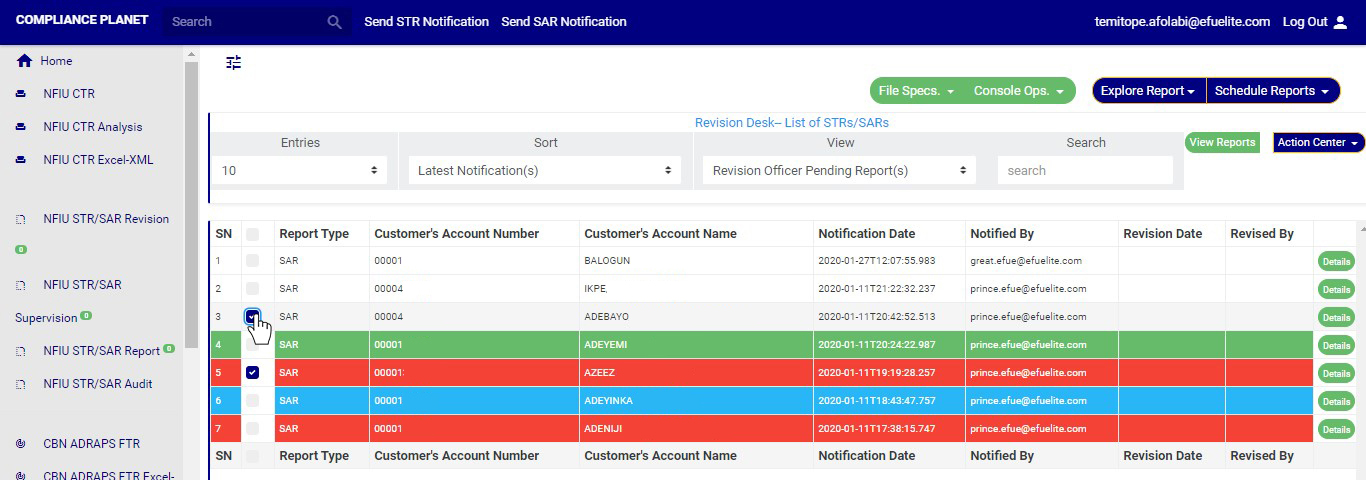
➔ You can also select all Notifications on the page by clicking on the checkbox at the top. See an example in fig 6.3ak below

STEP 2: Click on the “Delete Notification(s)” button as shown in in Fig 6.3al below
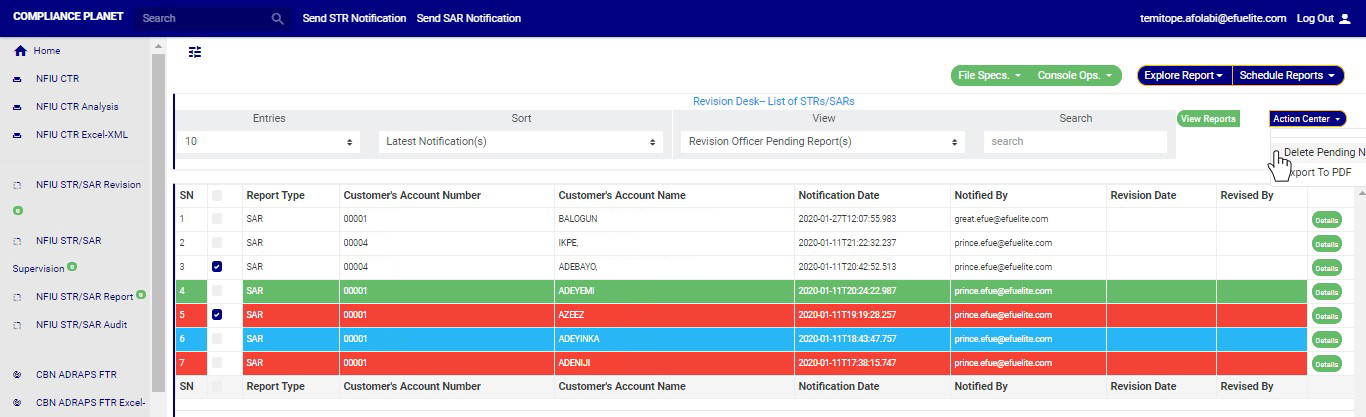
STEP 3: Clicking on “Delete Notification(s)” will display a confirmation console to confirm your selected action. See an example in Fig 6.3am below. To proceed, click on CONFIRM and to dismiss the operation, click on CANCEL.
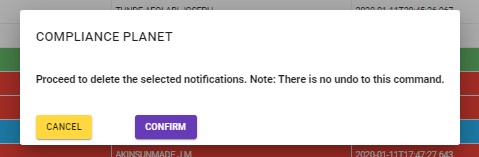
➔ Click on ‘CONFIRM’ as in fig. 6.3am above delete the Notifications or cancel to discontinue action. When you click confirm,a temporary notification will be displayed at the top of the page as in fig. 6.3an below.
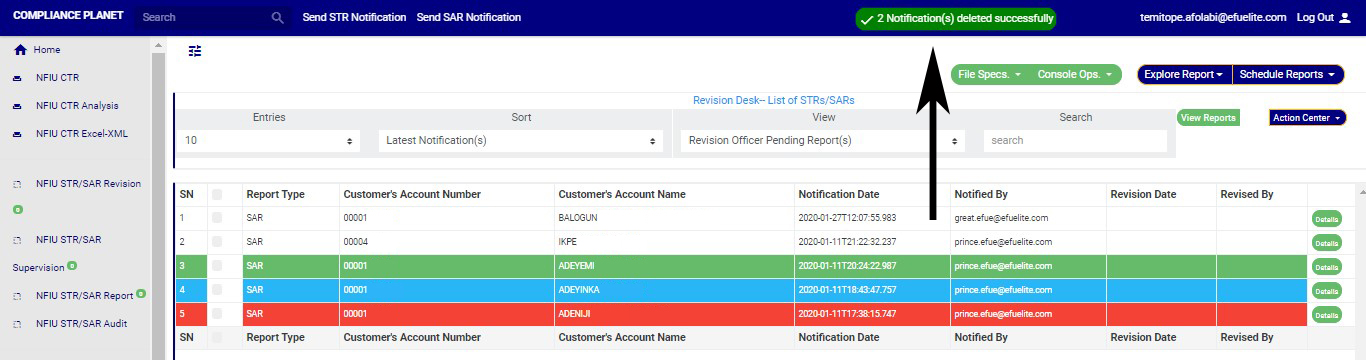
(fig. 6.3an)
