
STEP 1: On NFIU STR SAR supervision page, Click on the check boxes to select the notifications you want to delete. See an example in Fig 6.4u below
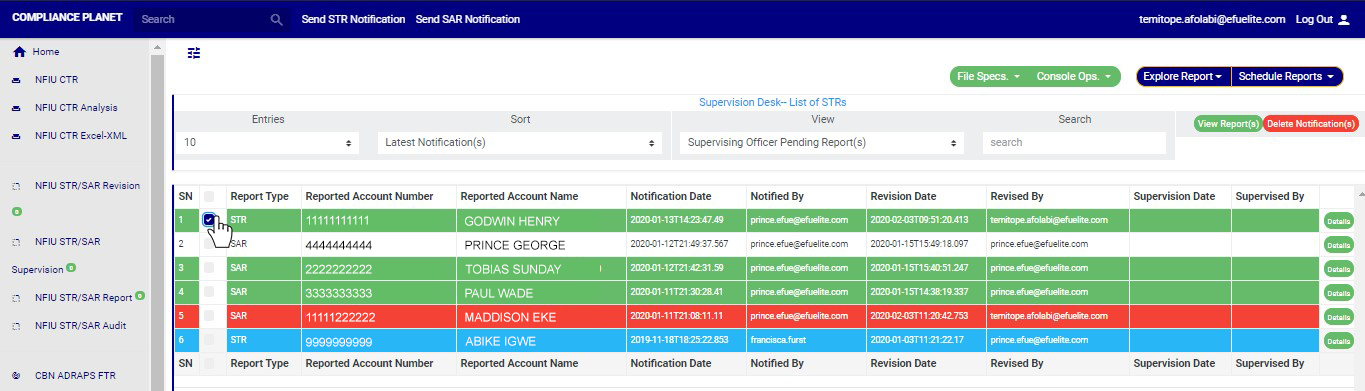
(fig. 6.4u)
STEP 2: Click on the “Delete Notification(s)” button as shown in in Fig 6.4v below.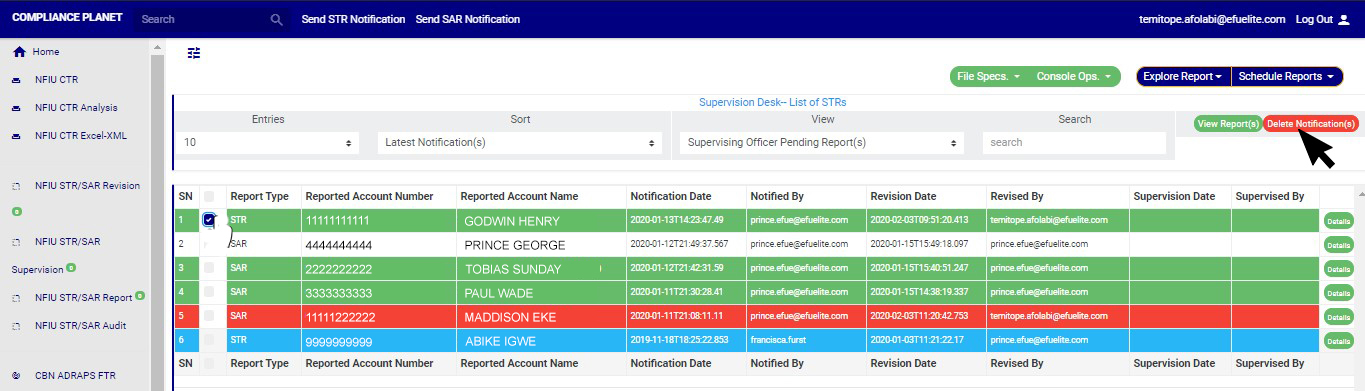 (fig. 6.4v)
STEP 3: Clicking on “Delete Notification(s)” will display a console to confirm your selected action. See an example in Fig 6.4w below. To proceed, click on CONFIRM and to dismiss the operation, click on CANCEL.
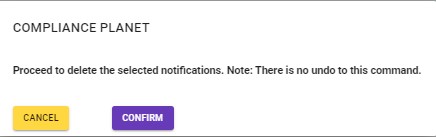
(fig. 6.4w)
NOTE: You have to be profiled as a ‘supervisor’ and a ‘Team Lead 2’ on supervision Desk, to carry out this operation.
For further enquiries :
Tel +234(0) 816 555 9818
Email solutions@efuelite.com
