This operation involves the upload of just ONE new miscellaneous account on the Compliance planet. Here is how to do this.
NOTE: Only person(s) profiled as ‘Deputy Supreme Admin’ can carry out these operations
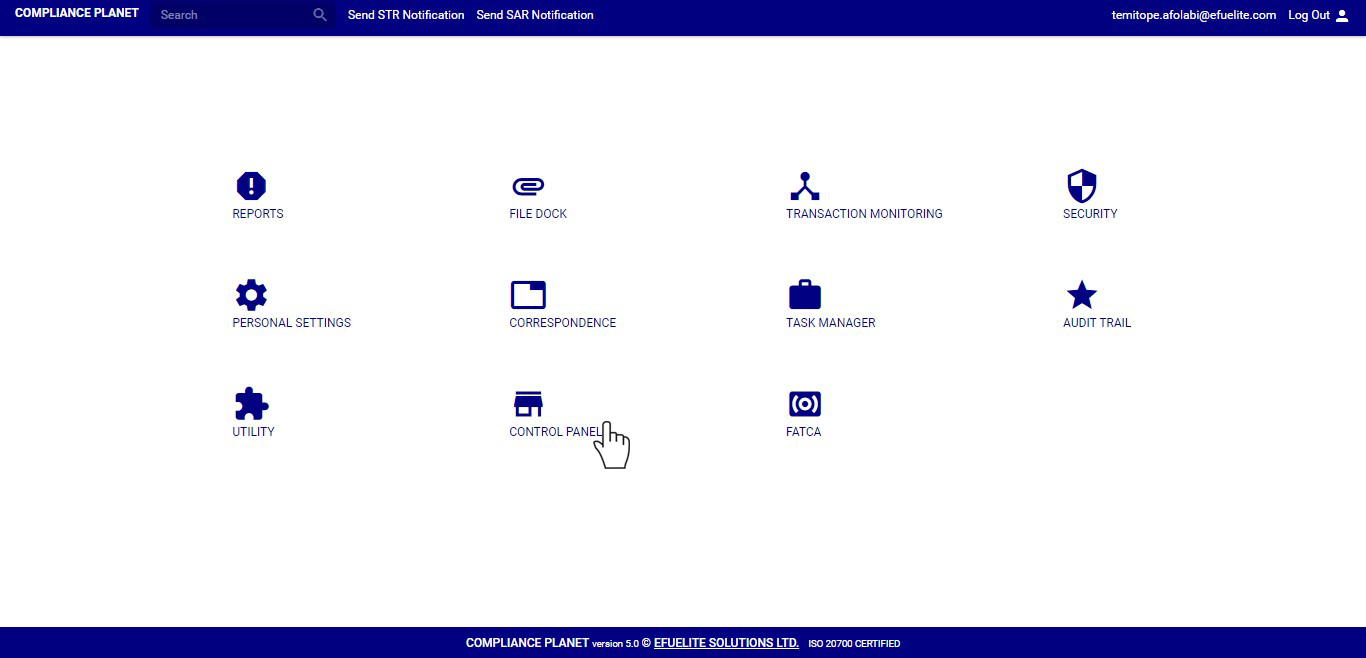
STEP 1: From the main dashboard, click on ‘CONTROL PANEL’. See an example below.
➔ From the left hand side menu, click on ‘Create New Misc Acc(s)’. See fig. 8.5a below

➔ This displays a ‘Create Misc Account’ console as in fig. 8.5b
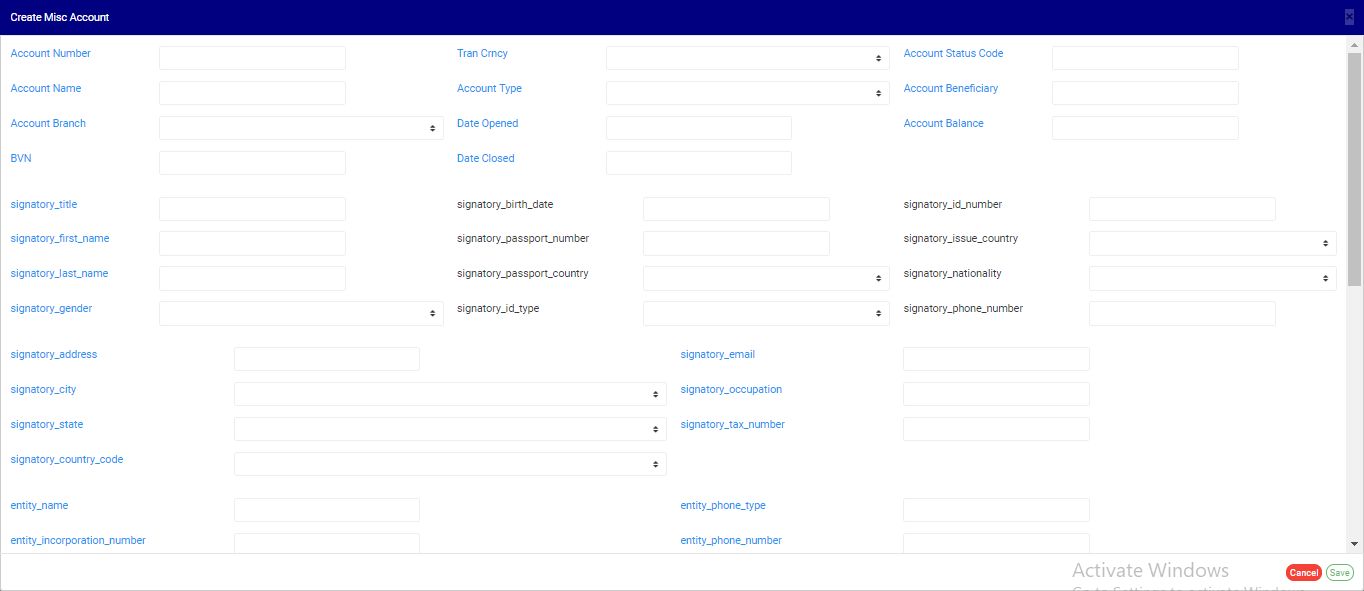
(fig. 8.5b)
STEP 2: Fill in the details of the new miscellaneous account you want to add in their respective fields.
➔ Note some fields are mandatory . These include;
a) account number,
b) account name,
c) account branch,
d) BVN
e) transaction currency,
f) account type and
g) date the account was opened. See fig. 8.5c for an example.
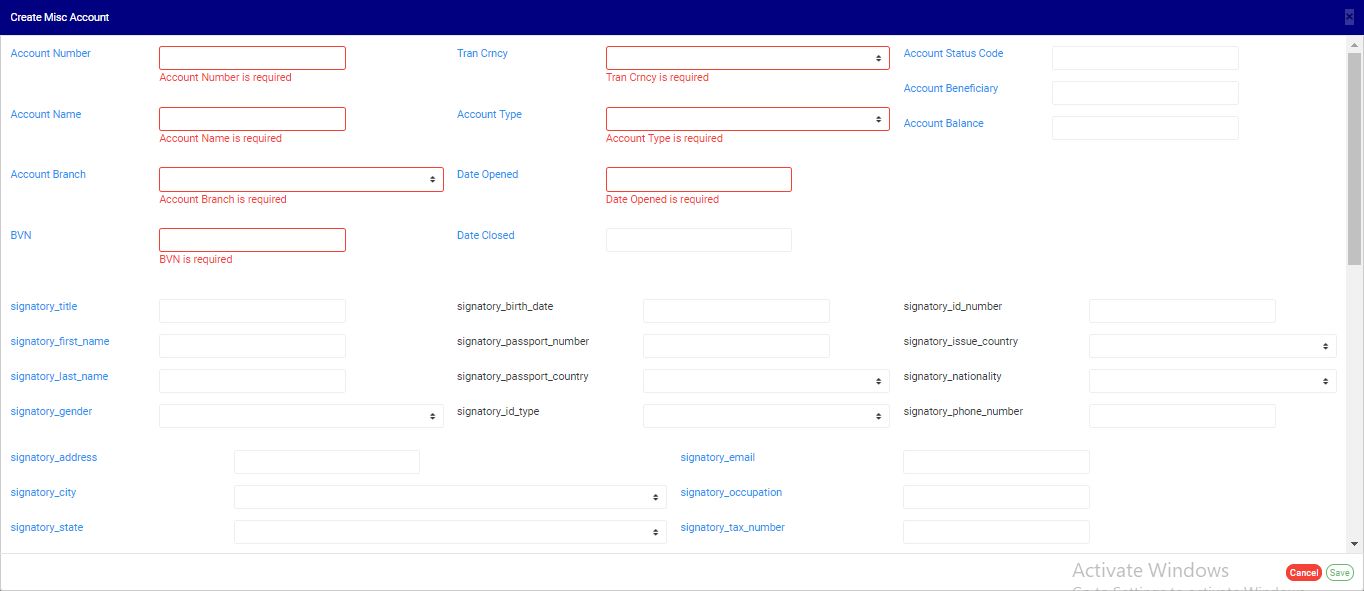
(fig. 8.5c)
➔ See fig. 8.5d for an example of a console filled with details of new miscellaneous account to be created.
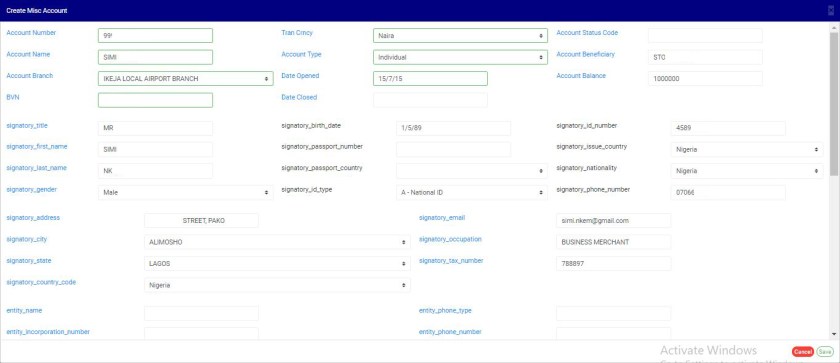
(Fig. 8.5d)
➔ Click on the ‘SAVE’ button at the bottom-right corner of the to proceed or click ‘CANCEL’ to close the console.
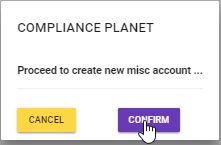
➔ Clicking on SAVE displays a console as in fig. 8.5e below. Click on ‘CONFIRM’ to proceed and create new miscellaneous account or ‘CANCEL’ to go back to the Create Misc Account console.