
This section provides a guide on how to perform operations as regards EXEMPTED ACCOUNTS on the Compliance Planet, with step-by-step instructions and pictures.
An exempted account is an account whose details and transactions have been excluded from CTR reports.
EXEMPTED ACCOUNT(S) OPERATIONS
The operations pertaining to exempted accounts include exempting an account and removing an account from the exemption list.
NOTE: Only person(s) profiled as deputy supreme admin can carry out these operations
To perform any of the operations on Exempted Accounts;
STEP 1: From the main dashboard, click ‘CONTROL PANEL’ as in fig 16.2a below
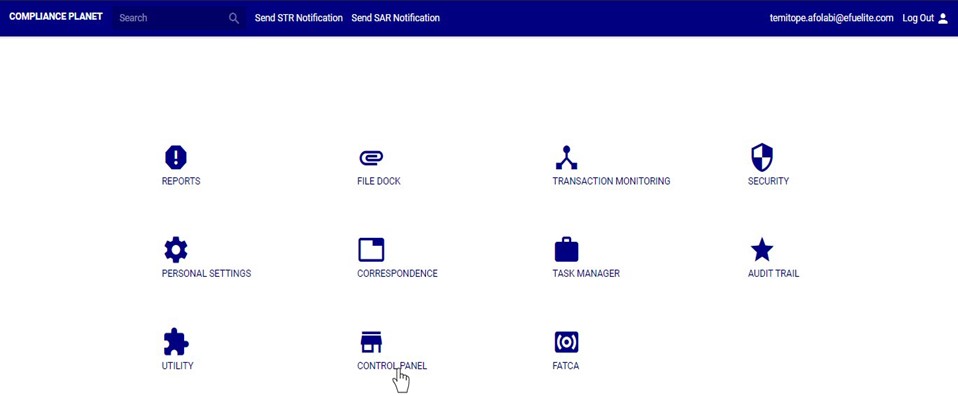
(fig. 16.2a)
STEP 2: Click on ‘EXEMPTED ACCOUNT’ on the left hand side menu as seen in fig. 16.2b below.
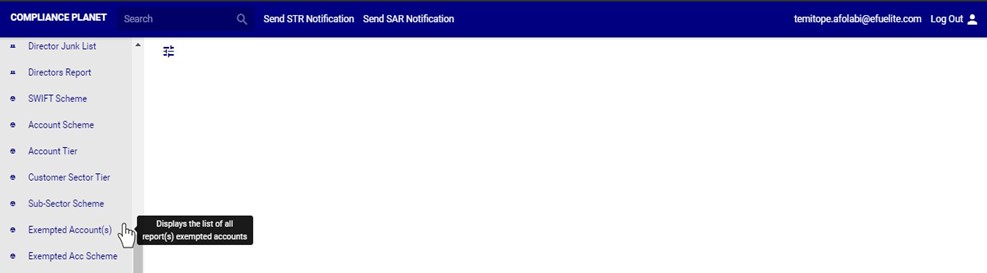
➔ This displays a page as in fig. 16.2c below.
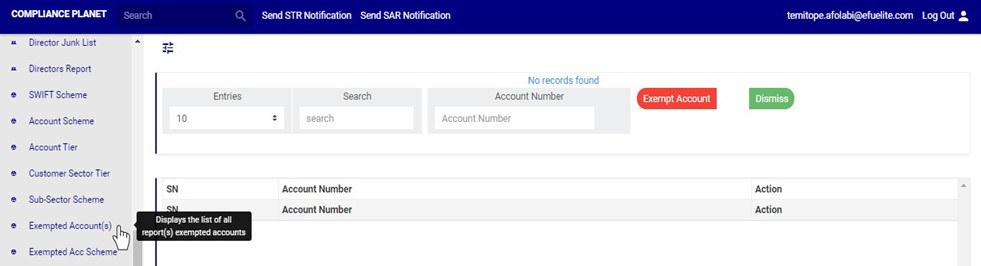
(fig. 16.2c)
