
This section provides a guide on how to perform operations pertaining to CCI on the Compliance Planet, with step-by-step instructions and pictures.
A Certificate of Capital Importation (CCI) is Central Bank of Nigeria (CBN) certificate issued by banks for importation of cash (foreign currency Inflow) for investment as Equity or Loan, and also for importation of machinery and equipment for investment as Equity or Loan. Every Certificate of Capital Importation has a number denoted by ‘CCi’ on the compliance planet. The importance and reason for the CCI feature on the compliance planet is to enable the attachment of CCI numbers to transactions reported in ADRAPS FTR reports. CCI’s are mostly matched with Inward Foreign Exchange Foreign Transactions (i.e., FXFTInward).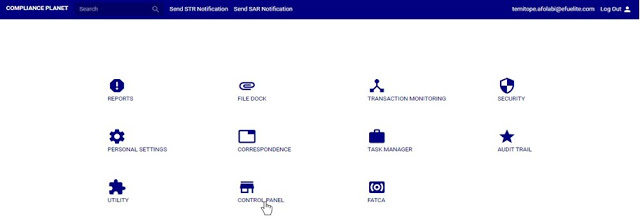
A Certificate of Capital Importation (CCI) is Central Bank of Nigeria (CBN) certificate issued by banks for importation of cash (foreign currency Inflow) for investment as Equity or Loan, and also for importation of machinery and equipment for investment as Equity or Loan. Every Certificate of Capital Importation has a number denoted by ‘CCi’ on the compliance planet. The importance and reason for the CCI feature on the compliance planet is to enable the attachment of CCI numbers to transactions reported in ADRAPS FTR reports. CCI’s are mostly matched with Inward Foreign Exchange Foreign Transactions (i.e., FXFTInward).
CCI OPERATIONS
Here, the operations are;
1. previewing list of CCI for transaction report,
2. Editing a CCI,
3. Deleting a CCI.
4. Adding a new CCI,
5. Downloading a CCI and
6. Bulk Delete
NOTE: Only person(s) profiled as deputy supreme admin can carry out these operations.
To perform any of the operations;
STEP 1: From the main dashboard, click ‘CONTROLPANEL’ as in fig 18.2a below
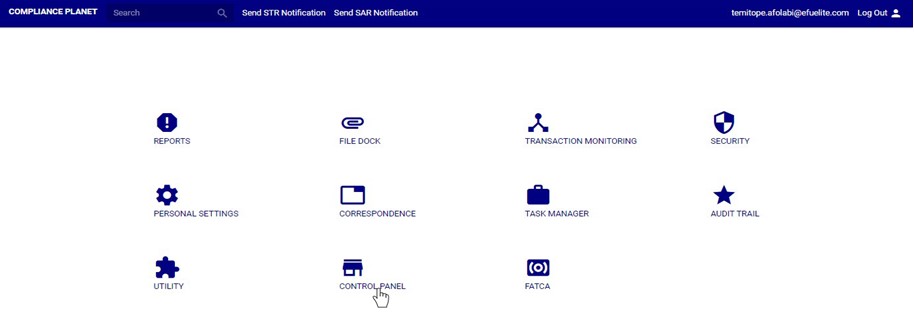
(fig. 18.2a)
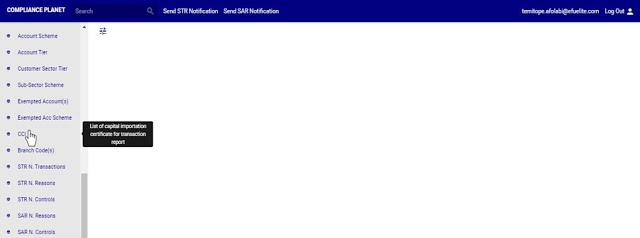
STEP 2: Click on ‘CCI’ on the left hand side menu as in fig. 18.2b below.

(fig. 18.2b)
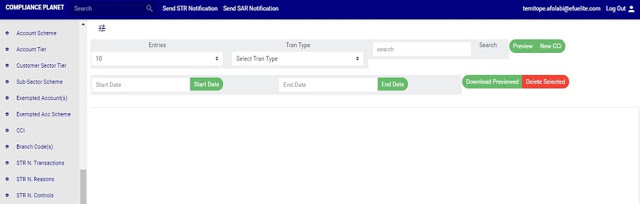
➔ This displays a page as seen in fig. 18.2c below.

(fig. 18.2c)
For further enquiries :
Tel +234(0) 816 555 9818
Email solutions@efuelite.com
