
This section provides a guide on how to perform operations pertaining to the report person data on the Compliance Planet, with step-by-step instructions and pictures.
WHO IS A REPORT PERSON?
The report person refers to an authorized representative of the reporting institution. The personal and official details of the person make up the ‘Report person data’. The Compliance planet attaches the report person data to all reports processed and generated and it is static for all reports.
NOTE: Only person(s) profiled as deputy supreme admin will be able to carry out these operations
How to view Report Person Data
To view Report Person data;
STEP 1: From the main dashboard, click ‘CONTROL PANEL’ as in fig 26.2a below
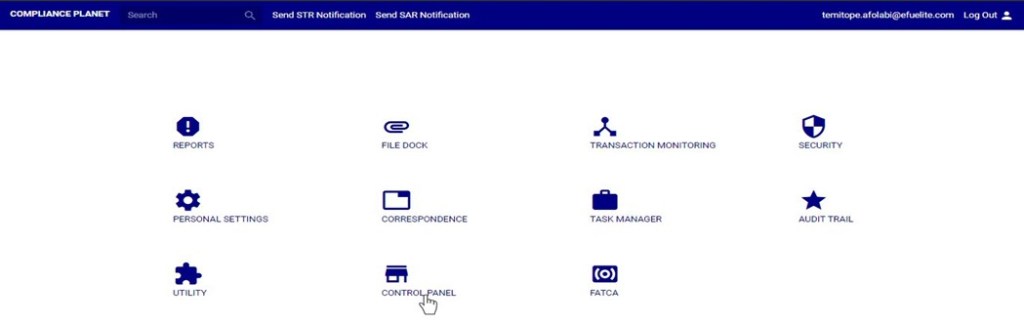
(fig. 26.2a)
STEP 2: Click on ‘REPORT PERSON DATA VIEW’ on the left hand side menu as in fig 26.2b
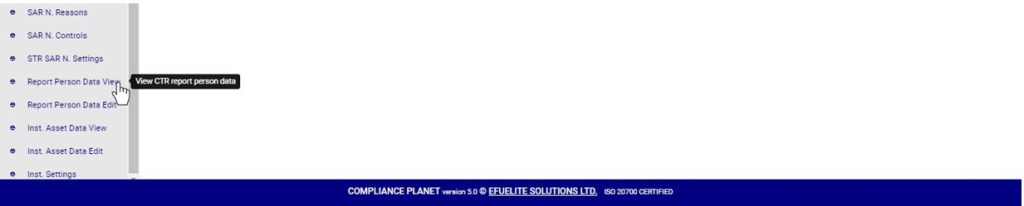
(fig. 26.2b)
- This displays a confirmation console as in fig. 26.2d below.
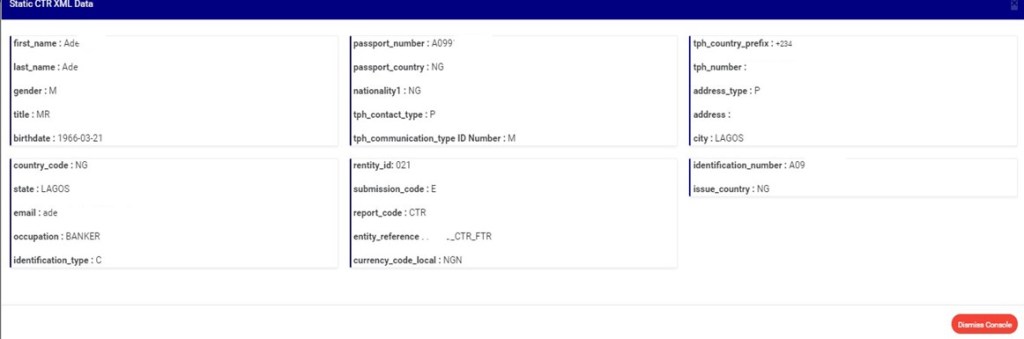
(fig. 26.2c)
- Click on ‘Dismiss Console’ to close the console.
How to Edit Report Person Data
To make changes to the report person data;
STEP 1: From the left hand side menu, click on ‘REPORT PERSON DATA EDIT’ as in fig 26.3a below.
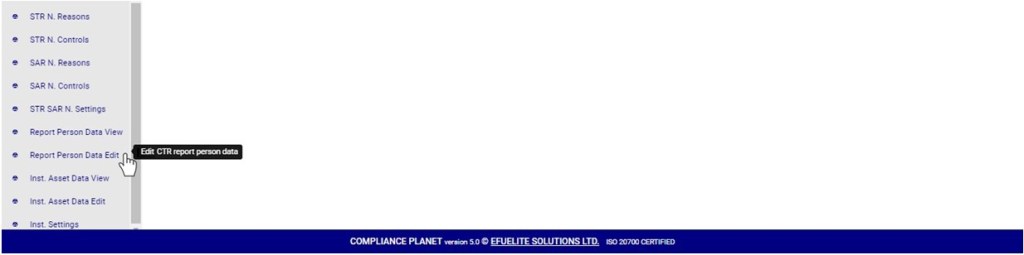
(fig. 26.3a)
- This displays a console as in fig. 26.3b below.
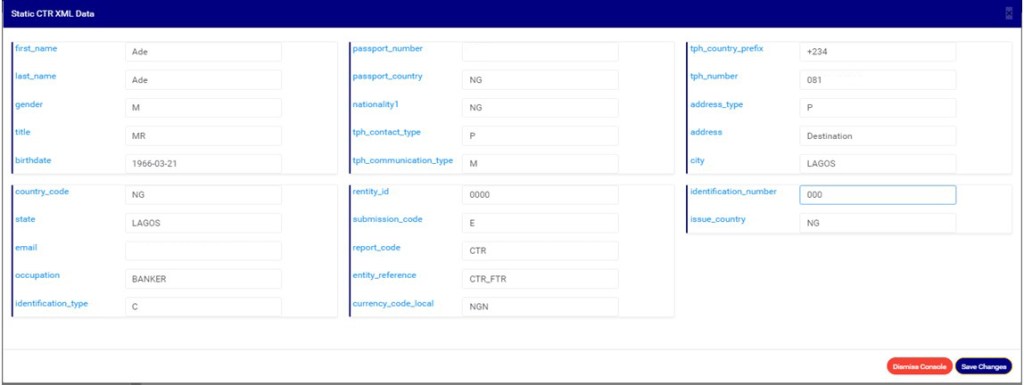
(fig. 26.3b)
- Fill in the new details or change the details on the console.
STEP 2: Click on ‘Save Changes’ as shown in fig. 26.3c. To discard changes or the new details entered on the console, click on ‘Dismiss console’.

(fig. 26.3c)
- This displays a confirmation console as in fig. 26.3d to confirm your request.
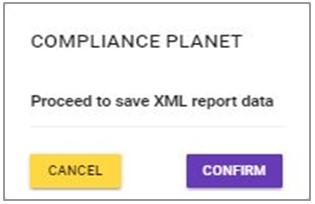
(fig. 26.3d)
STEP 3: Click on ‘CONFIRM’ as in fig. 26.3d to proceed or ‘CANCEL’ to discontinue the operation. A notification will be displayed at the top of the page when the operation is complete.

(fig. 26.3e)
For further enquiries :
Tel +234(0) 816 555 9818
Email solutions@efuelite.com
Web http://solutions.efuelite.com
