
In this section you can edit the bio-data of the institution, this includes; the full and short name of the institution, the institution code, tax number, Bvn,address, year of establishment, default email and default occupation. This section provides a guide on how to perform operations as regards institution settings on the Compliance Planet, with step-by-step instructions and pictures.
NOTE: Only the Supreme Administrator can carry out this operation
STEP 1: From the main dashboard, click ‘CONTROL PANEL’ as in fig 27.3a below
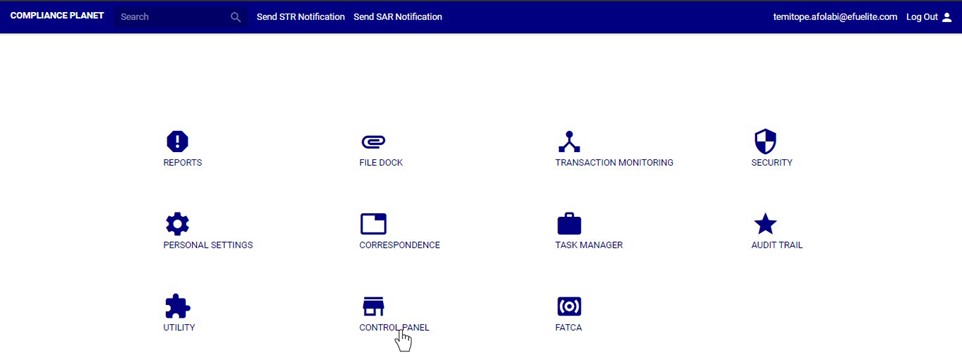
(fig. 27.3a)
STEP 2: Click on ‘INSTITUTION SETTINGS’ on the left hand side menuas in fig. 27.3b below.
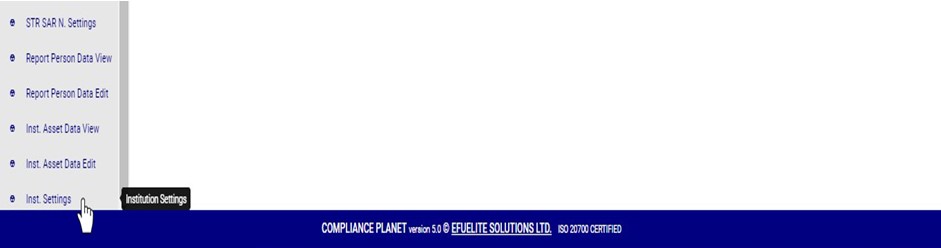
(fig. 27.3b)
- This displays a console as in fig. 27.3c below
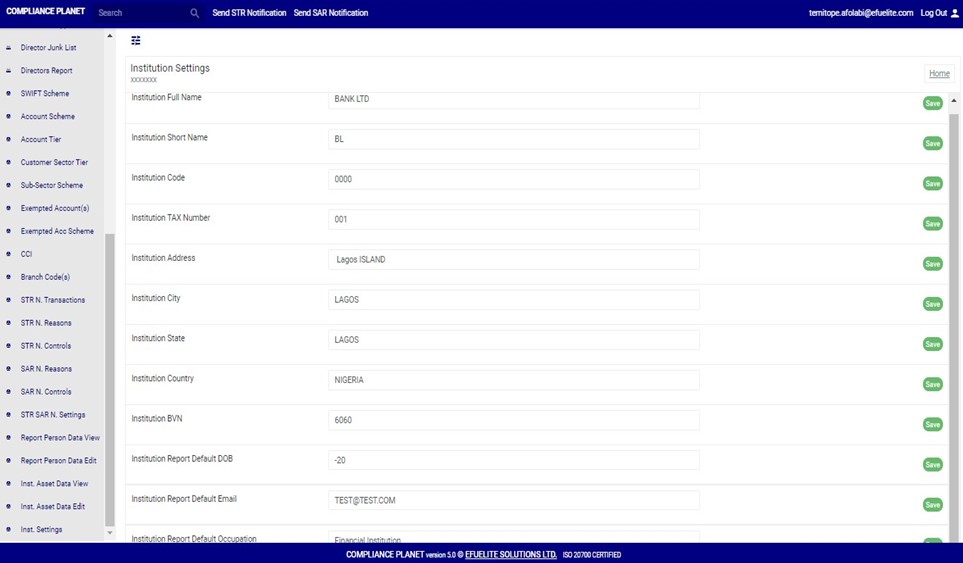
(fig. 27.3c)
STEP 3: Click on any of the textboxes to edit it. See an example in fig. 27.3d below.

(fig. 27.3d)
STEP 4: Click on the green “SAVE” button at the right end of the row to update that specific field. See an illustration in fig. 27.3e below.
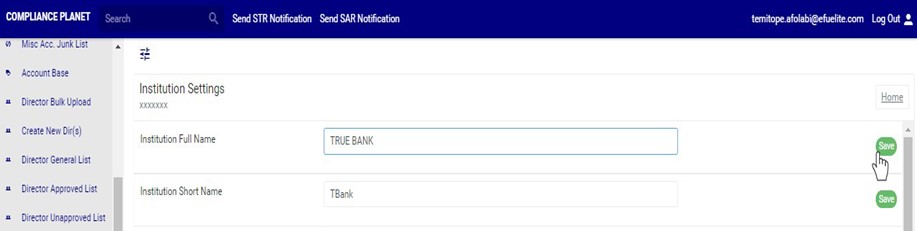
(fig. 27.3e)
- A notification as in fig. 27.3f below will be displayed at the top of the page when the operation is complete.

(fig. 27.3f)
For further enquiries :
Tel +234(0) 816 555 9818
Email solutions@efuelite.com
Web http://solutions.efuelite.com
