
The AML/CFT RBS Artificial Intelligence Service performs pre-processing of the data required for the AML/CFT RBS report. The AML/CFT RBS process panel displays the latest date on which the AML/CFT RBS Artificial Intelligence Service has processed the necessary data for instant preparation of the RBS report, as required.
NOTE: Only person(s) assigned the right(s) to process RBS Reports can carry out this operation
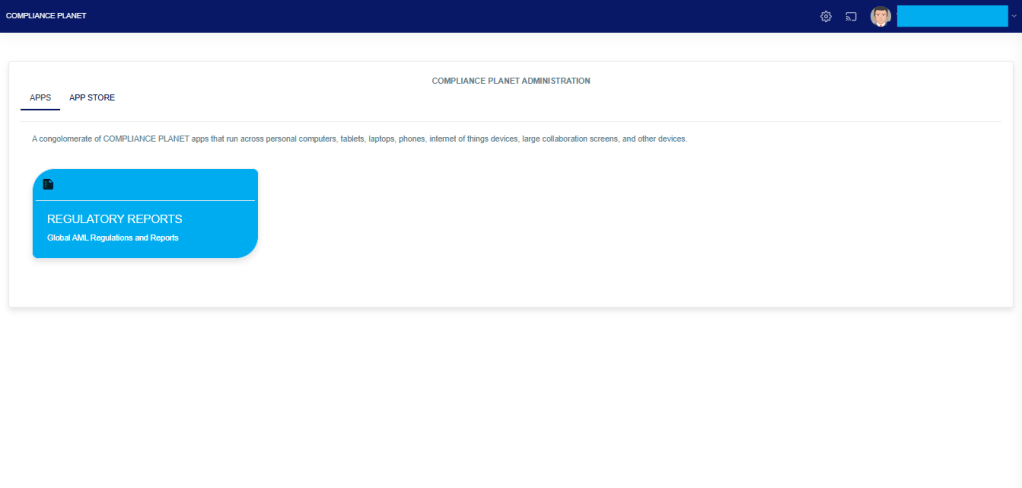
From the app dashboard, click on “REGULATORY REPORTS” as displayed in the image below.
This will display a drop-down, as shown in the image below. The drop-down menu lists the report types available on the Compliance Planet software.
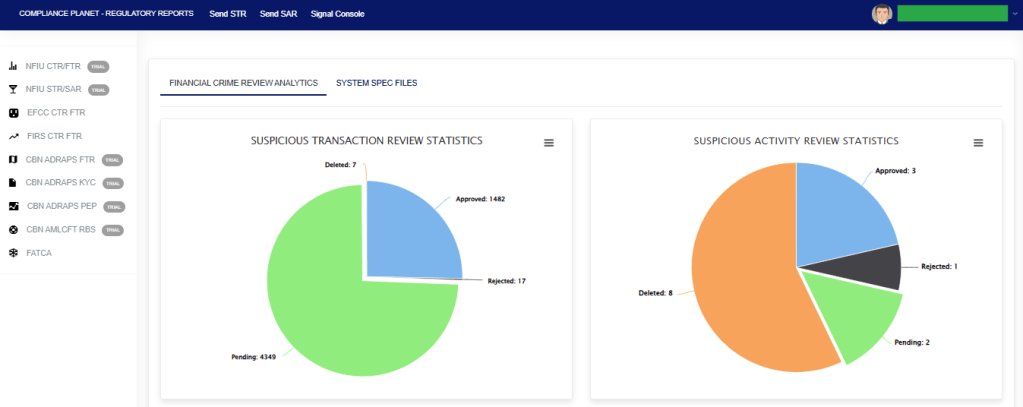
Click “CBN AML/CFT RBS” on the drop-down list and display the RBS REPORT BRANCH REVIEW STATISTICS Page as displayed in the image below.
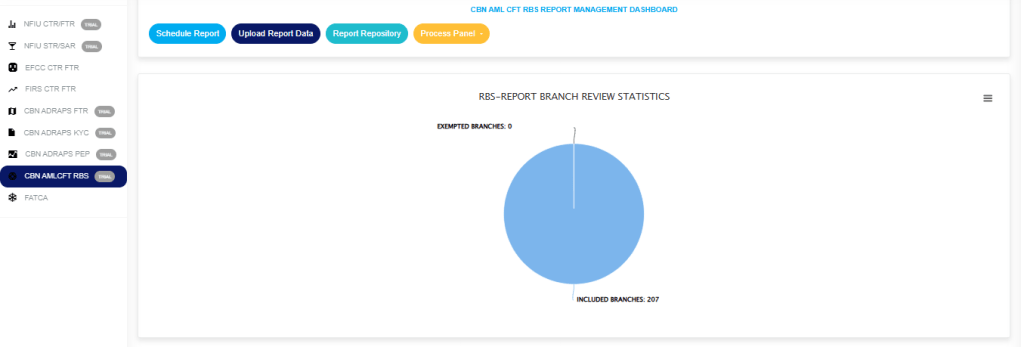
From the top menu, click on ‘PROCESS PANEL’ as in fig. 7.6a below.
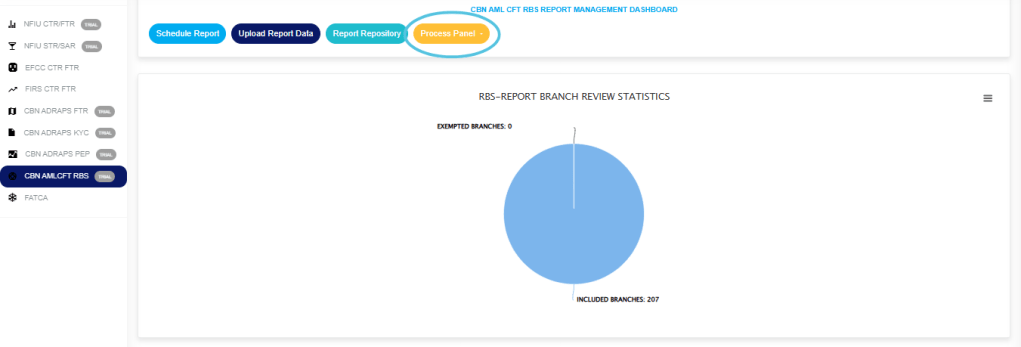
(fig. 7.6a)
Click on “Transaction” from the drop-down to display the Transaction Process panel Details Page, as displayed in the fig. 7.6b.

(Fig .7.6b)
Click on “Sector” from the dropdown to display the Sector Process panel Details Page as displayed in fig. 7.6c
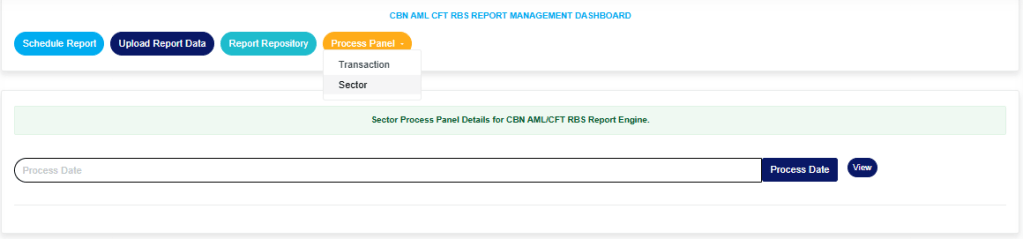
(fig. 7.6c)
- All data must be up to date with all status indicators showing green before any scheduled RBS report will be processed for the current time frame reading on the dashboard. If any RBS schedule is completed and all data pools are not up to date, the schedule will wait for all data to be processed before being executed.
- The last processed date for each data pool should be, at most, two days behind the current day and time. If the last processed date is earlier than this, meaning it is more than two days behind the current day and time, there is a red flag indicating that the attention of the company’s support team is needed.
For further enquiries:
Tel: +234(0) 816 555 9818
Email: solutions@efuelite.com
Web: http://solutions.efuelite.com
