
The STR/SAR notification process panel gives information about Pending Notifications (i.e. notifications that are yet to be attended to) on STR/SAR revision, supervision and report desk.
Note: Only persons assigned right(s) to ‘view STR/SAR reports’ will be able carry out this operation.
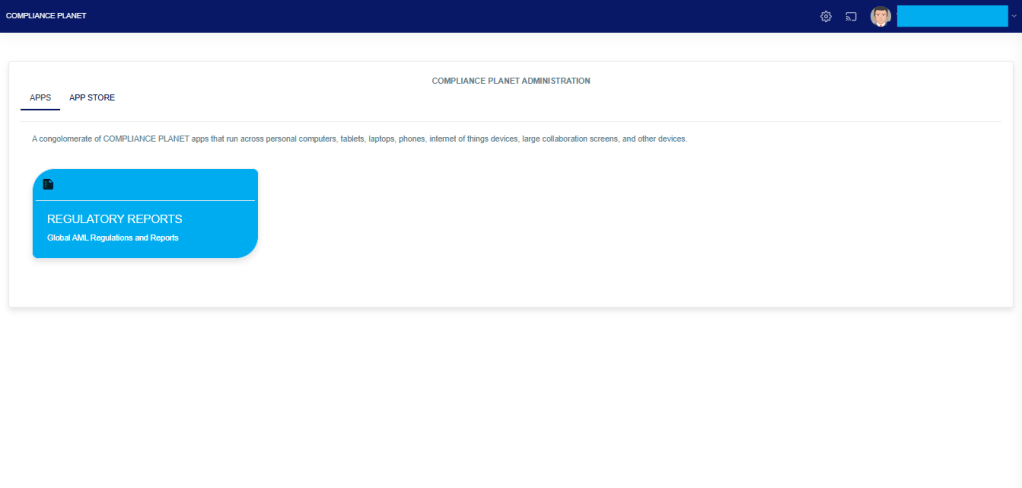
From the app dashboard, click on “REGULATORY REPORTS” as displayed in the image below.
This will display a drop-down, as shown in image below. The drop-down menu lists the report types available on the Compliance Planet software.
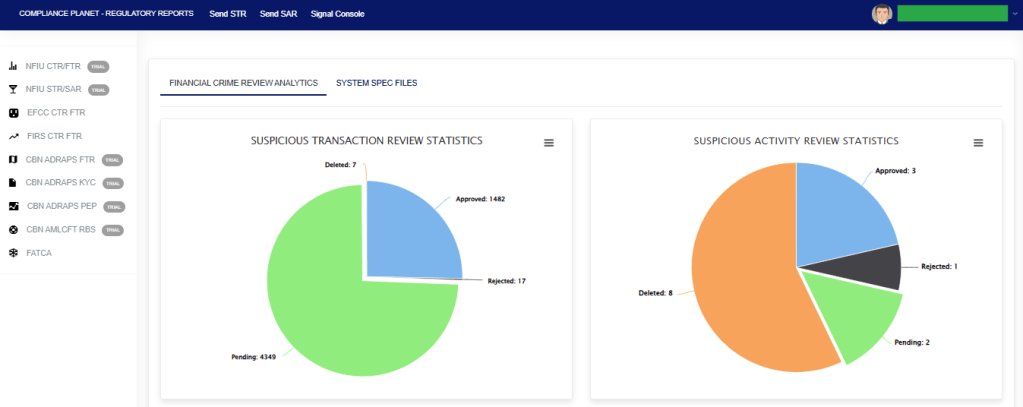
Click ‘NFIU STR/SAR’ on the drop-down list and display the STR/SAR page as displayed in the image below.
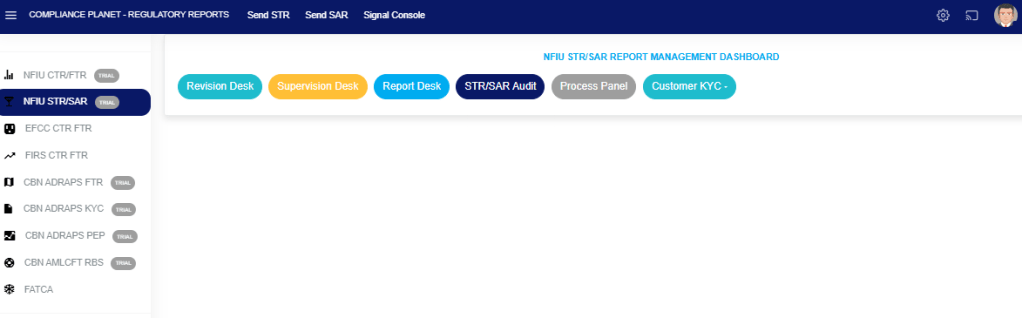
STEP 1: From the top menu, Click “Process Panel” as in the image below.
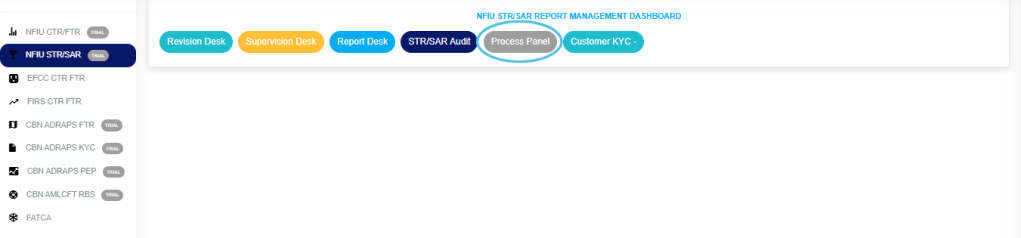
- The above action will display the Notification Process Panel Page as shown below.
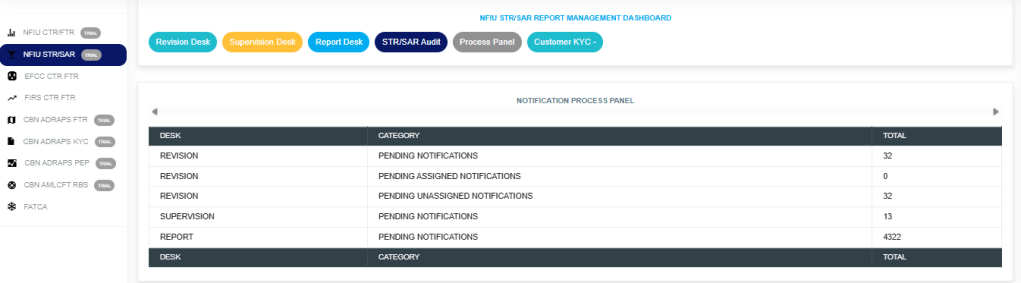
- On the page the software gives information of total revision desk pending Notifications, revision desk pending assigned notifications, revision desk pending assigned notifications, supervision desk pending notifications and reporting desk pending notifications.
For further enquiries:
Tel: +234(0) 816 555 9818
Email: solutions@efuelite.com
Web: http://solutions.efuelite.com
