
The operations pertaining to exempted accounts include exempting an account and removing an account from the exemption list.
NOTE: Only person(s) profiled as deputy supreme admin can carry out these operations
To perform any of the operations on Exempted Accounts;
STEP 1: From the left-hand side menu, Click ‘Control panel’ as in fig. 16.2a.
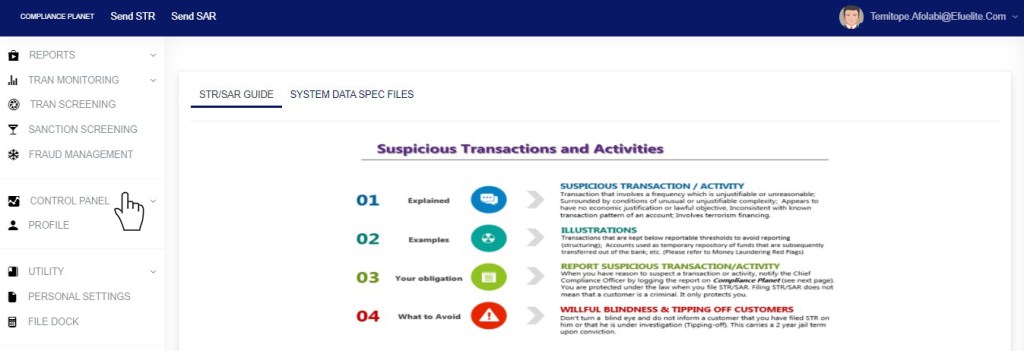
Fig 16.2a
- This will display a drop down as in Fig 16.2b below.
STEP 2: Click ‘ACCOUNT’ on the drop-down list. See an example in Fig 16.2b below.
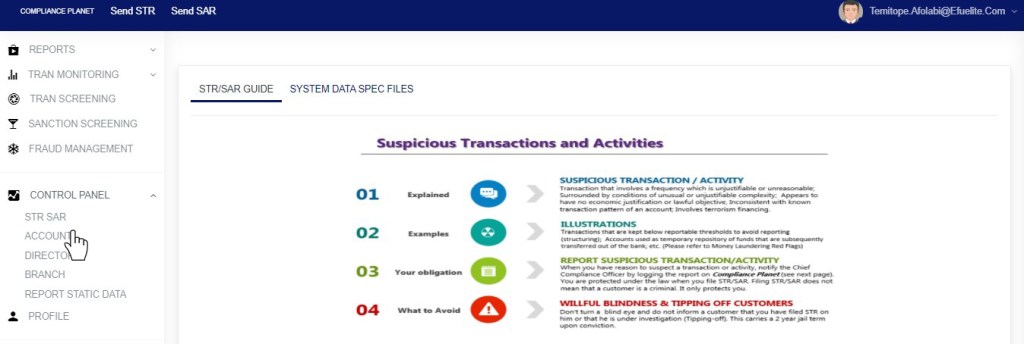
Fig 16.2b
- This will display the ACCOUNT CONTROL PANEL OPERATIONS dashboard as in Fig 16.2c below
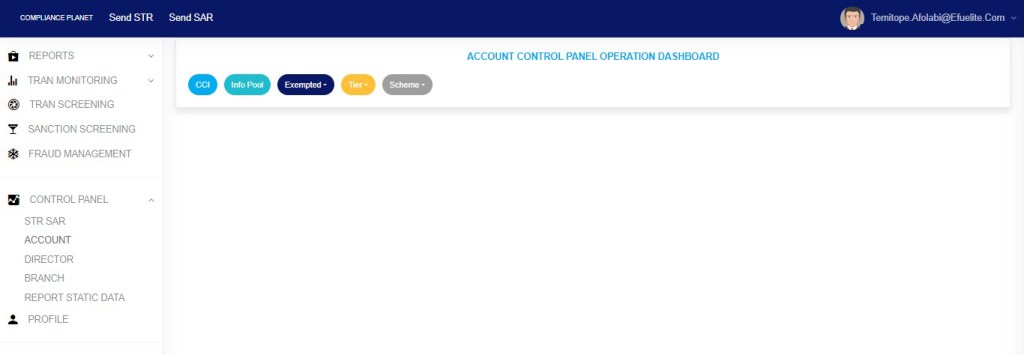
Fig 16.2c
STEP 3: Click “Exempted” from the top menu, on the account page. See an example in fig16.2d below

Fig 16.2d
- This displays a dropdown as in fig 16.2e below
STEP 4: Click “Account” on the drop-down list as in fig 16.2e below
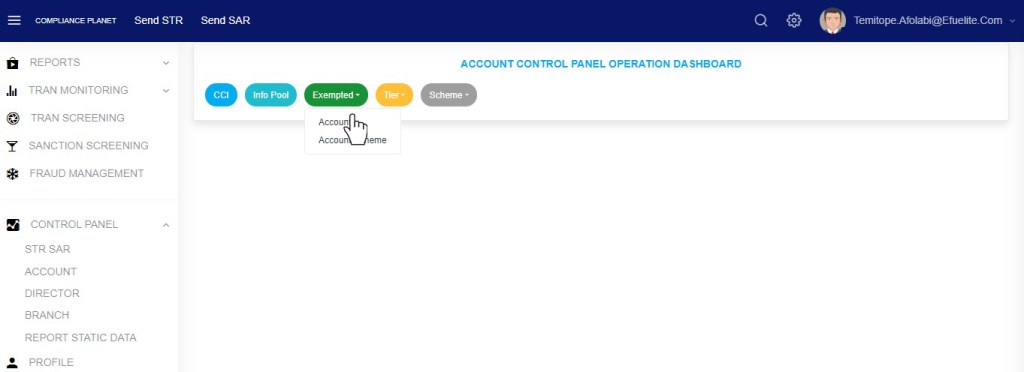
Fig 16.2e
- This displays a page as in fig. 16.2f below.
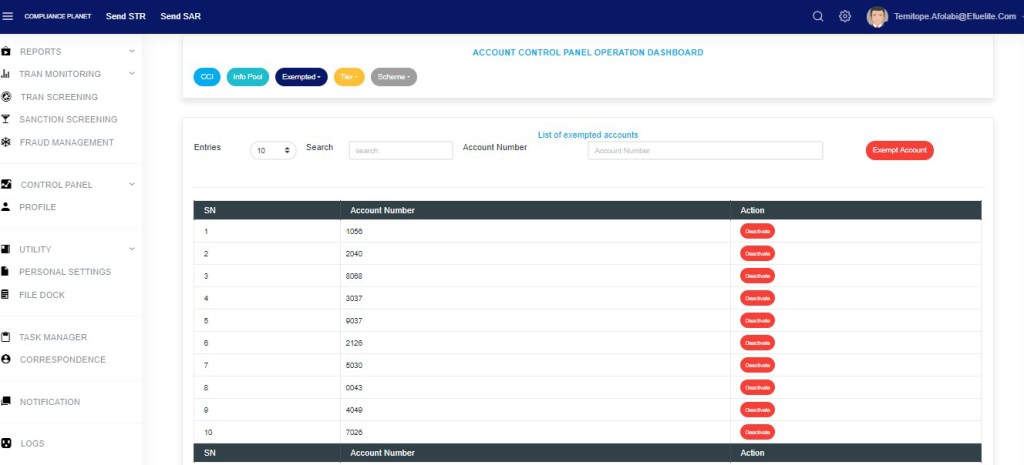
(fig. 16.2f)
- To adjust the number of exempted accounts per page, click on the ‘ENTRIES’ box as in fig. 16.2g below and select the number of records you want to see per page.

(fig. 16.2g)
- Click on the Search text box to search for an exempted account number as in fig 12.2h below

Fig 16.2h
How To Exempt an Account Number
This refers to adding an account number to the CTR exemption list. Here is how to exempt an account from reports.
STEP 1: Type an account number in the ACCOUNT NUMBER box. See an example in fig. 16.3a below.
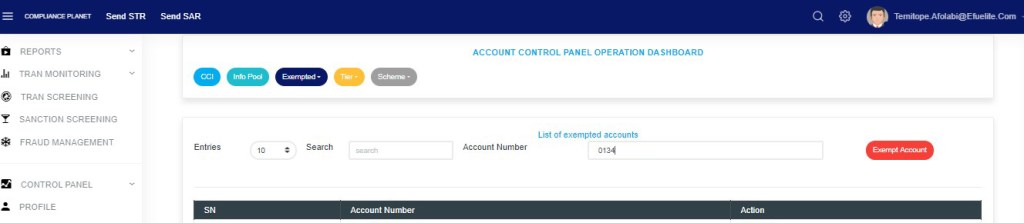
(fig. 16.3a)
STEP 2: Click ‘EXEMPT ACCOUNT’. This button is positioned at the top of the page as shown in fig. 16.3b.
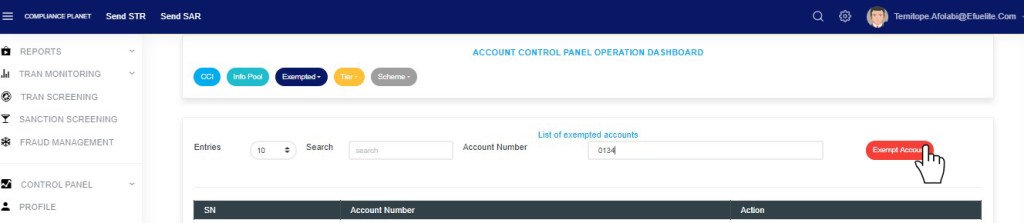
(fig. 16.3b)
- This displays a confirmation console as in fig. 16.3c.
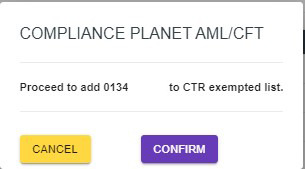
(fig. 16.3c)
STEP 3: Click on ‘CONFIRM’ to add the account number to the exempted account list or ‘CANCEL’ to discontinue. If you proceed, a notification will be displayed at the top of the page.

(fig. 16.3d)
How to Remove An Account Number from the Exemption List
To remove an account number from the CTR exemption list;
STEP 1: Click the ‘DEACTIVATE’ button. See fig. 16.4a for an example.

(fig. 16.4a)
- This displays a confirmation console as in fig. 16.4b.
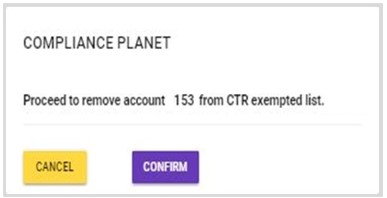
(fig. 16.4b)
STEP 2: Click on ‘CONFIRM’ to remove the account number from the exempted account list or ‘CANCEL’ to discontinue. If you proceed, the account will be removed from the exempted account list right away, and a notification will be displayed at the top of the page.

(fig. 16.4c)
For further enquiries :
Tel +234(0) 816 555 9818
Email solutions@efuelite.com
Web https://solutions.efuelite.com

Berkshire
LikeLike
payment
LikeLike
Lead
LikeLike
quantify
LikeLike
Officer
LikeLike