
The CTR/FTR process panel presents all transaction types, their date ranges, and the number of transactions for each type that have been processed on the Compliance Planet. The date range on the planet refers to the earliest and latest dates of transactions processed in the Compliance planet.
Note: Only persons assigned the right(s) to ‘view CTR reports’ and ‘process CTR reports’ will be able to carry out this operation.
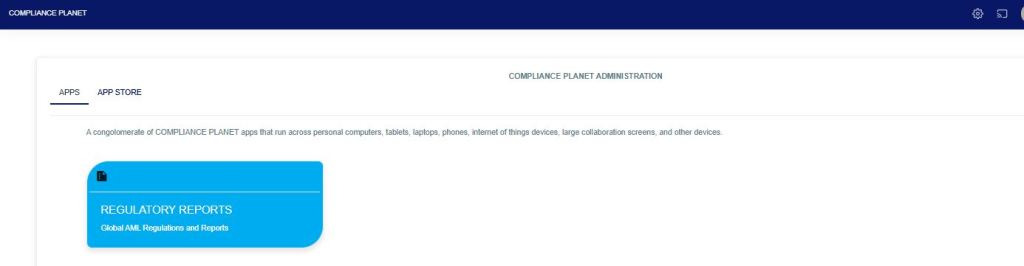
From the app dashboard, click on “REGULATORY REPORTS” as shown below
Click on ‘NFIU CTR/FTR’ on the drop-down list. See an example in Fig below. This will display the NFIU CTR/FTR page.
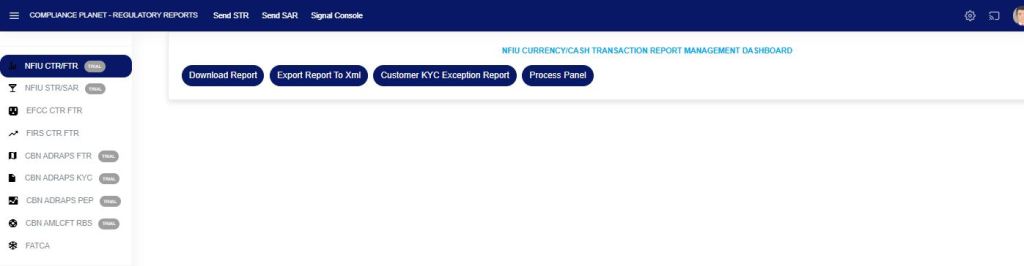
Fig
From the menu, click on “Process Panel”, which will display all the transaction types, date range, total records, and status, as shown in the Fig below.
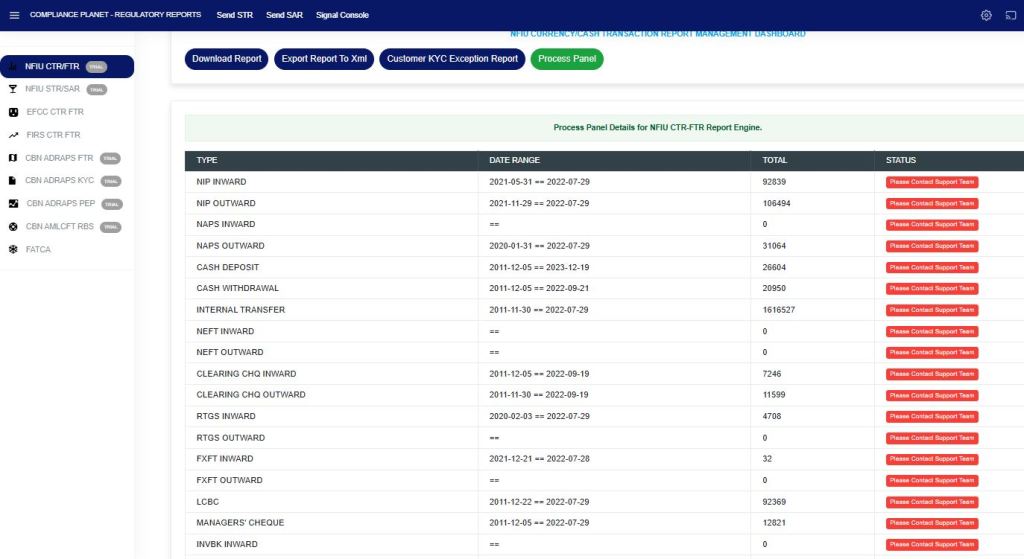
Fig
For further enquiries:
Tel: +234(0) 816 555 9818
Email: solutions@efuelite.com
Web: https://solutions.efuelite.com
