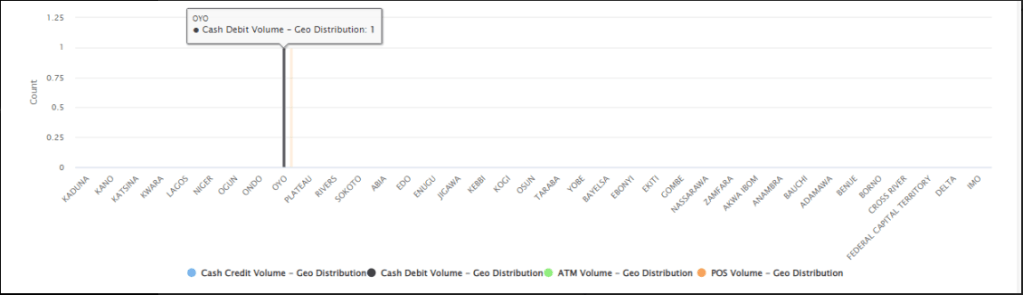
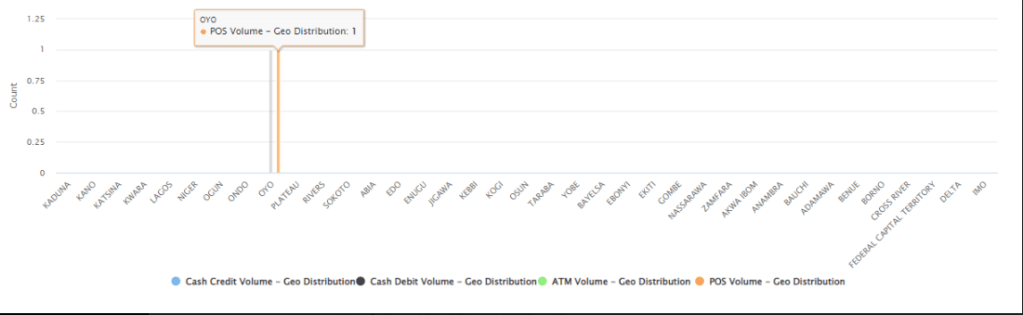
The business intelligence helps to give insight through a graphical representation of customers’ transaction trends across a specified period.
STEP 1: From the left-hand side menu, click “BUSINESS INTEL” as in the image below.
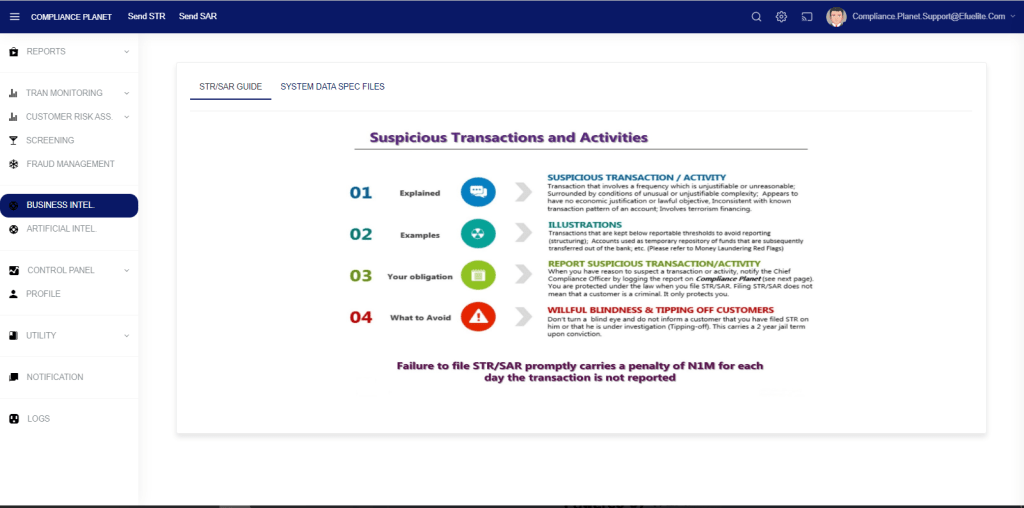
STEP 2: Enter the required parameters, as explained below, to view a graphical representation of a customer’s transaction trend.
- Enter a customer’s account number in the “Account Number” field.
- Enter a start date and an end date
- Select a time frame from the “Time Frame” dropdown
- Select a trend type from the various trend types as seen in the image below
- Click on the “View” button to see the result.
- Download the graph by clicking on the “hamburger” menu on the right side of the graph.
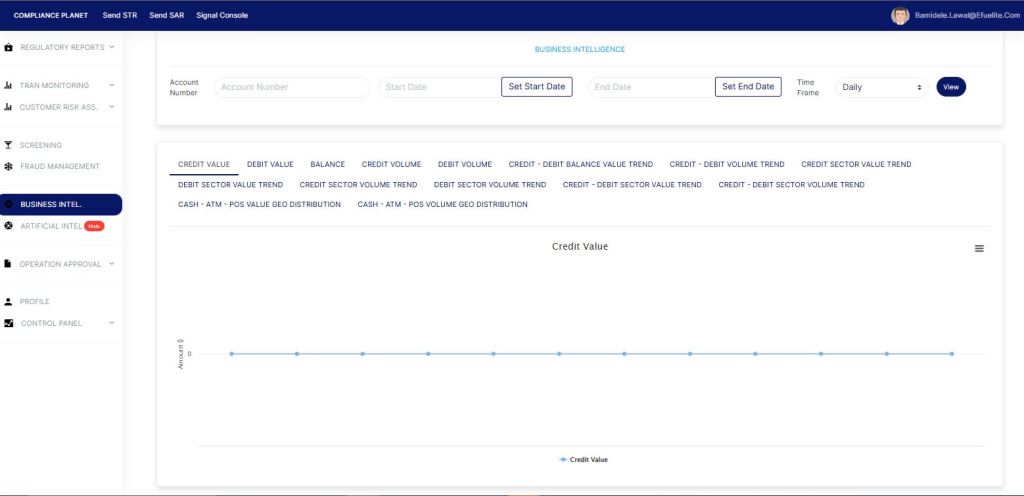
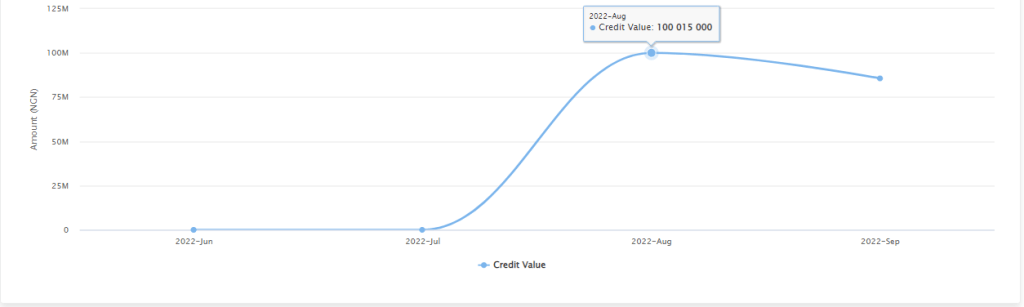
CREDIT VALUE: This is a value-based Line graph trend type that gives a graphical representation of an account’s inflows value across a specified period.
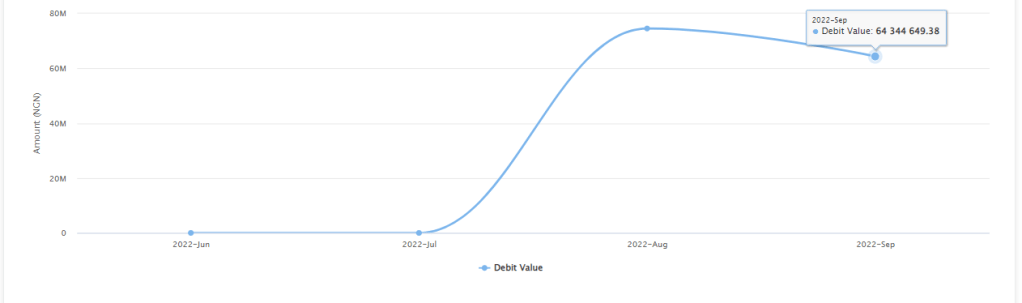
DEBIT VALUE: This is a value-based Line graph trend type that gives a graphical representation of an account’s outflow value across a specified period.
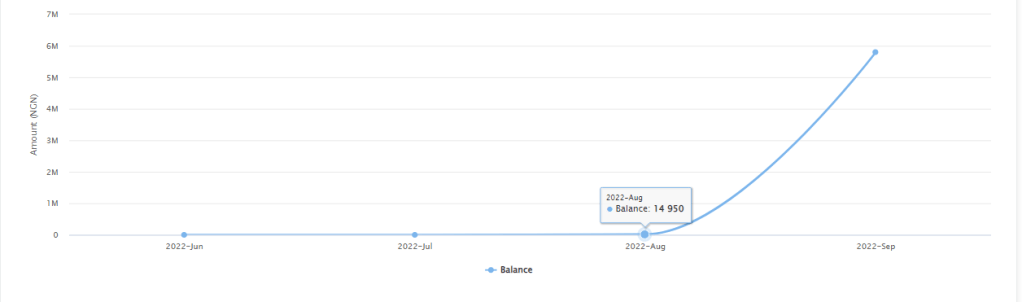
BALANCE: This is a value-based Line graph trend type that gives a graphical representation of an account’s balance across a specified period.
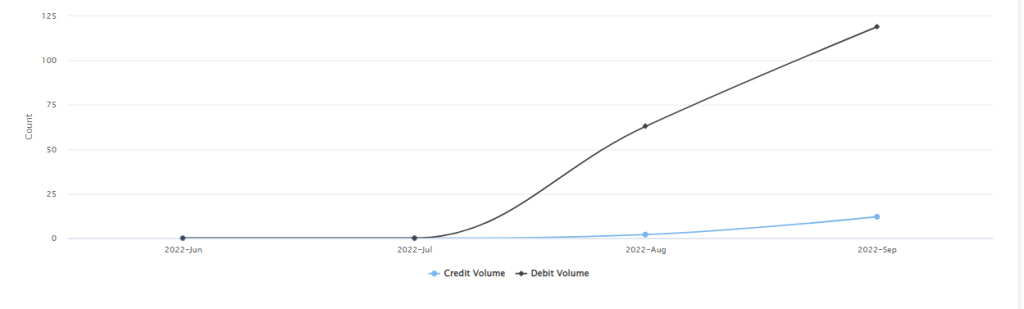
CREDIT VOLUME: This is a volume(counts) based Line graph trend type that gives a graphical representation of an account’s inflows volume(counts) across a specified period.

DEBIT VOLUME: This is a volume(counts) based Line graph trend type that gives a graphical representation of an account’s outflows volume(counts) across a specified period.

CREDIT – DEBIT BALANCE VALUE TREND: This is a value-based combined Line graph trend type that gives a graphical representation of an account’s inflows value, outflows value and balance across a specified period.

CREDIT – DEBIT VOLUME TREND: This is a volume(counts) based combined Line graph trend type that gives a graphical representation of an account’s inflows volume, outflows volume, and balance across a specified period.
CREDIT SECTOR VALUE TREND: This is a value-based Line graph trend type that gives a graphical representation of an account’s inflows transaction value across different transaction sectors (Cash, ATM, POS, Online) for a specified period.
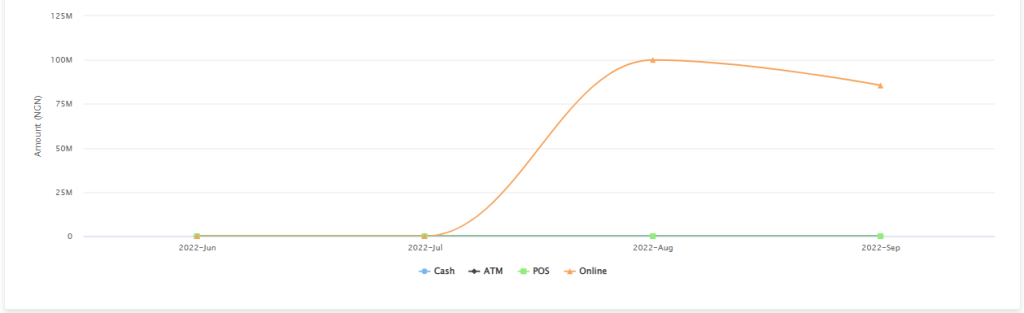
DEBIT SECTOR VALUE TREND: This is a value-based Line graph trend type that gives a graphical representation of an account’s outflows transaction value across different transaction sectors (Cash, ATM, POS, Online) for a specified period.
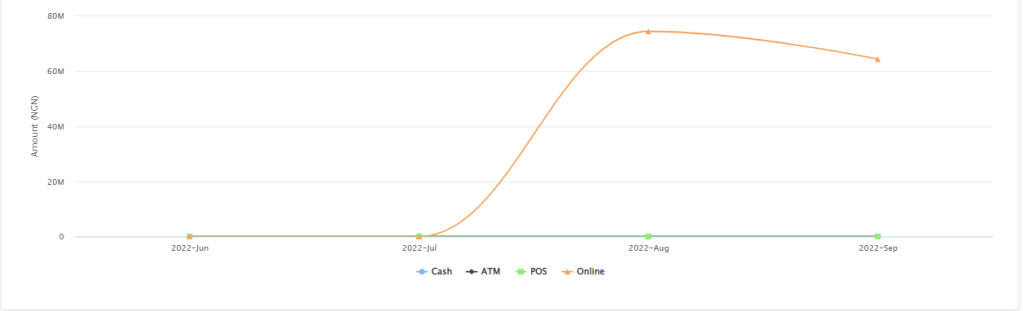
CREDIT SECTOR VOLUME TREND: This is a volume(counts) based Line graph trend type that gives a graphical representation of an account’s inflows transaction volume(counts) across different transaction sectors (Cash, ATM, POS, Online) for a specified period.
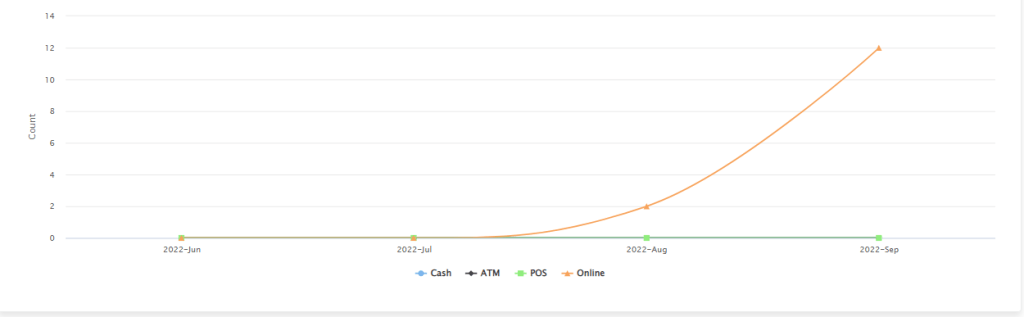
DEBIT SECTOR VOLUME TREND: This is a volume(counts) based Line graph trend type that gives a graphical representation of an account’s outflows transaction volume(counts) across different transaction sectors (Cash, ATM, POS, Online) for a specified period.
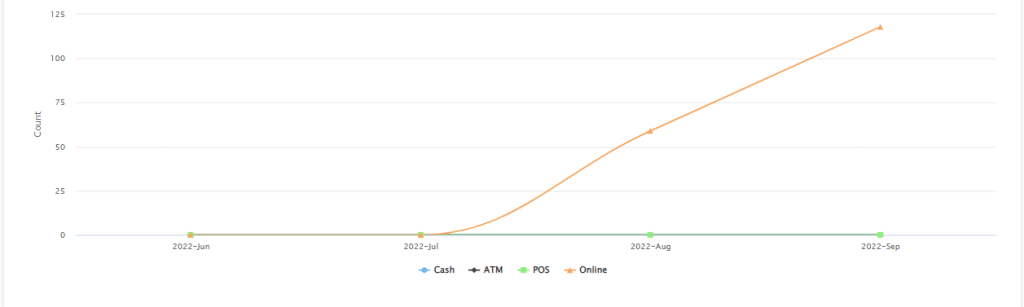
CREDIT-DEBIT SECTOR VALUE TREND: This is a value-based combined Line graph trend type that gives a graphical representation of an account’s inflows and outflows transaction value across different transaction sectors (Cash, ATM, POS, Online) for a specified period.
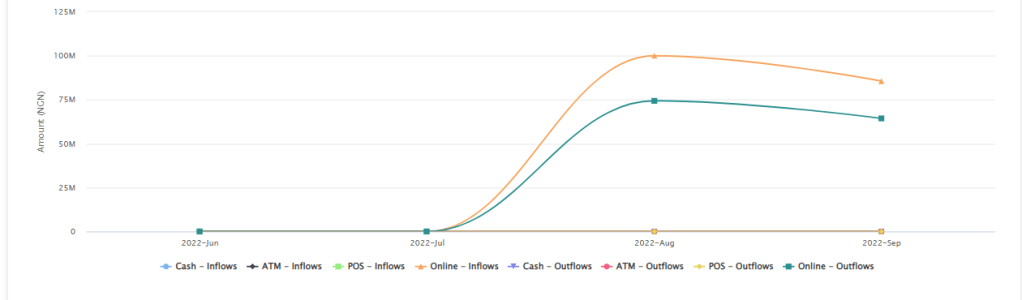
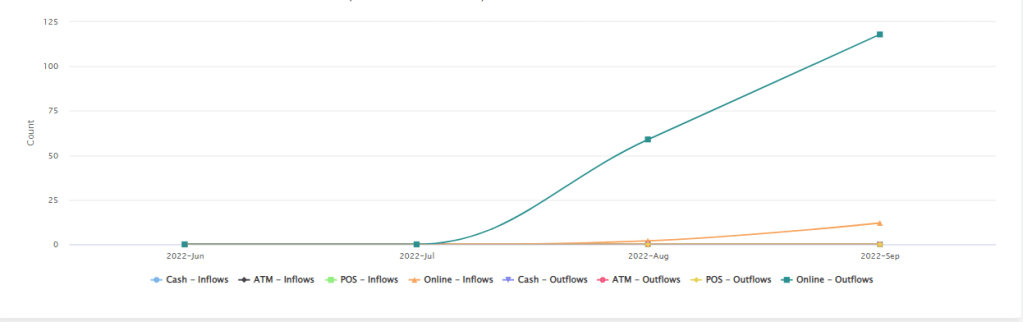
CREDIT-DEBIT SECTOR VOLUME TREND: This is a volume(counts) based combined Line graph trend type that gives a graphical representation of an account’s inflows and outflows transaction volume(counts) across different transaction sectors (Cash, ATM, POS, Online) for a specified period.
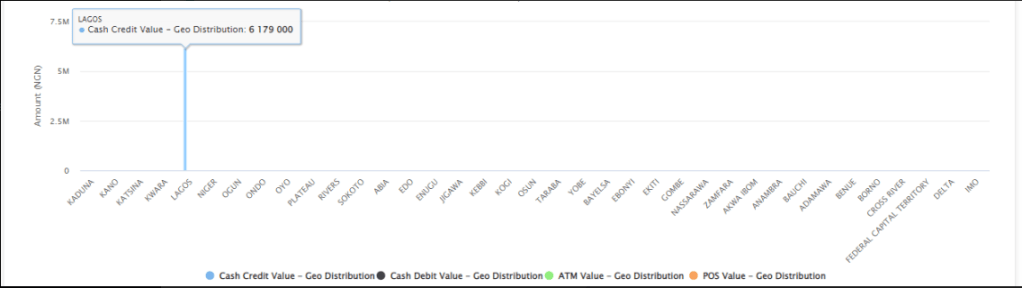
CASH-ATM-POS VALUE GEO DISTRIBUTION: This is a value-based Bar graph trend type that gives a graphical representation that is focused on an account’s transaction value across the states in a country and the ATM and POS transaction sectors for a specified period.
CASH-ATM-POS VOLUME GEO DISTRIBUTION: This is a volume(counts) based Bar graph trend type that gives a graphical representation that is focused on an account’s transaction volume(counts) across the states in a country and the ATM and POS transaction sectors for a specified period.