
The Log operation helps to view manually risk-rated accounts in the Compliance planet.
STEP 1: From the app dashboard, click on “CUSTOMER RISK ASSESSMENT” as displayed in the image below.
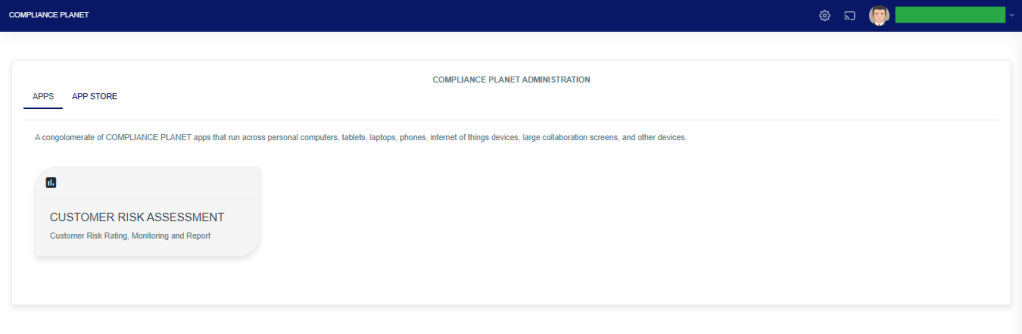
The above action will display a page as seen in the image below.

STEP 2: Click on “LOGS”, then select “DATA VIEW FILTERS”.
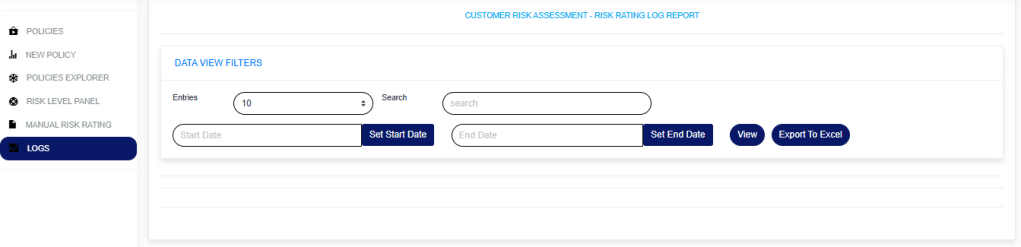
- Enter a “Start date” and “End date” to view the result.
- Click on the “View” button to see the logs.
- Entries: Select the number of records you want to see on the page.
- Search: This is to search for a modified account or who modified an account.
- To export the result to Excel, click on the “Export To Excel” button.
For further enquiries:
Tel: +234(0) 816 555 9818
Email: solutions@efuelite.com
Web: http://solutions.efuelite.com
