
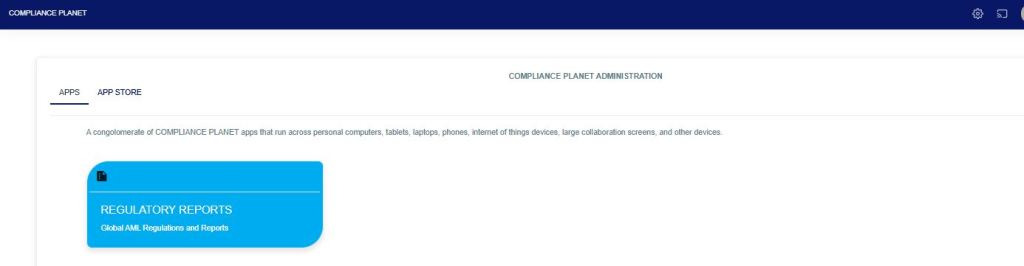
From the app dashboard, click on “REGULATORY REPORTS” as shown below.
This will display a drop-down as in the image below. The dropdown lists the report types available on the Compliance Planet software.
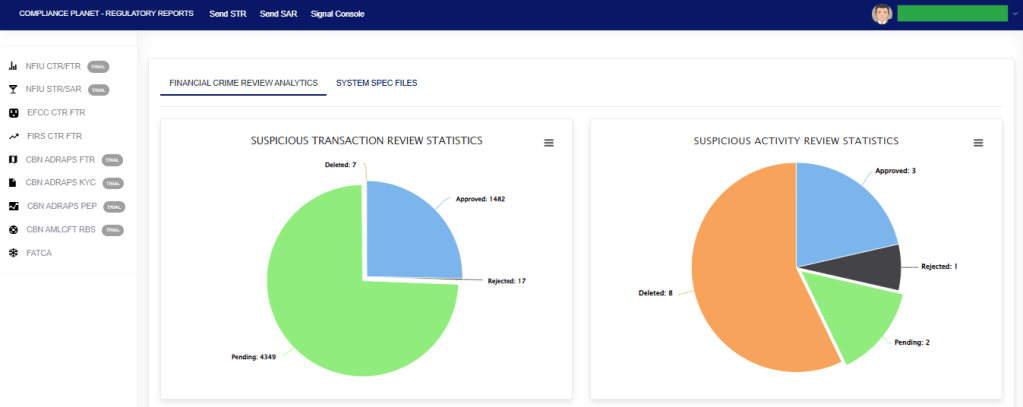
Click “NFIU STR/SAR” from the drop-down menu to open the NFIU STR/SAR page. See the image below.
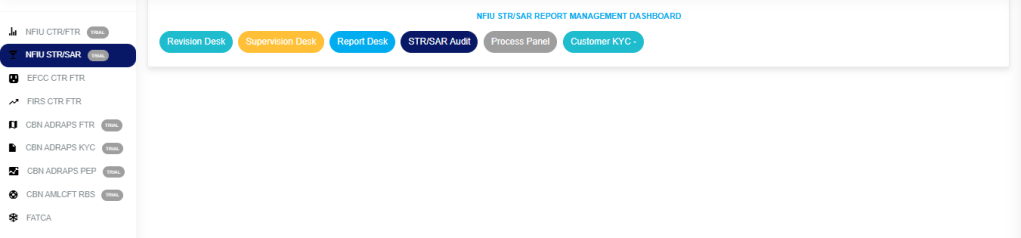
Click on “CUSTOMER KYC” which then displays a page as seen below.
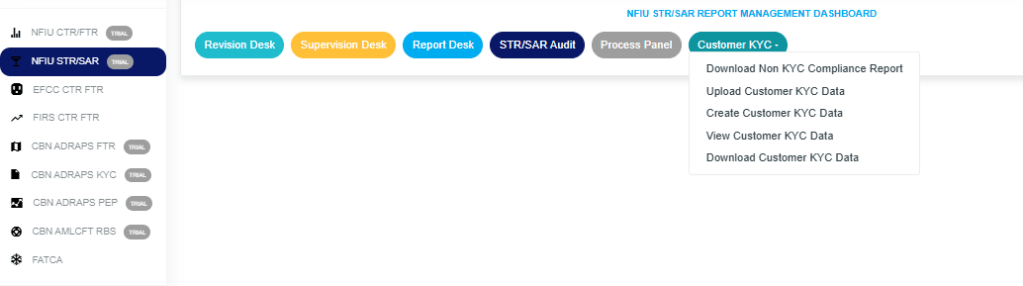
STEP 1: Click on “Upload Customer KYC Data” to display the Planet Console below.
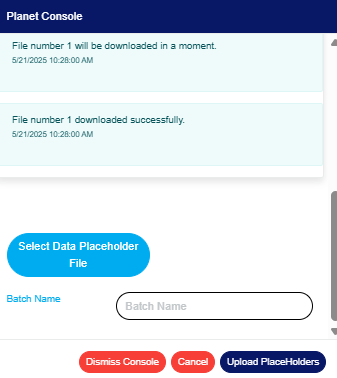
Click on “Select Data Placeholder File” to upload the data file.
Fill in the name of your report in the “BATCH NAME” box.
Click on “Upload Placeholder” to confirm the process.
Click on “Dismiss Console” to close the console.
Click on “cancel “to cancel the process.
For further enquiries:
Tel: +234(0) 816 555 9818
Email: solutions@efuelite.com
Web: http://solutions.efuelite.com
