
This section provides a guide on how to create Watch-List operations on the Compliance Planet Anti Money Laundering/Core Banking Finance Software, with step-by-step instructions and pictures.
STEP 1: From the app dashboard, click “DIGITAL FINANCIAL CRIMES SURVEILLANCE” as in Fig 1a below.
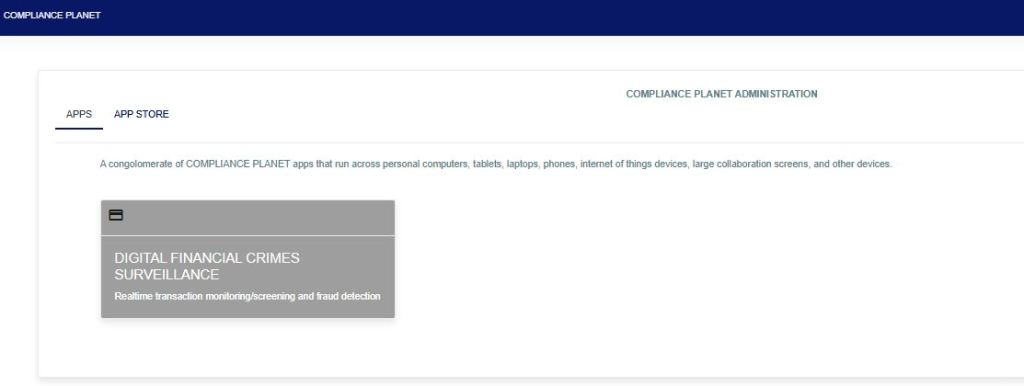
FIG 1a
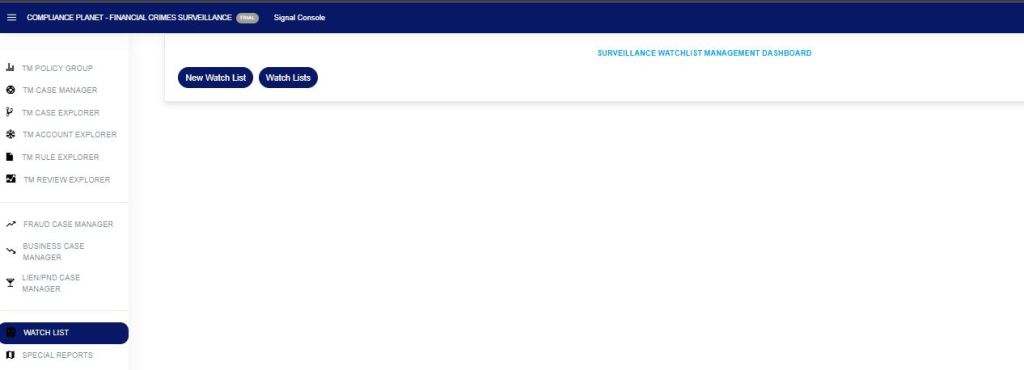
STEP 2: From the left-hand side menu, click “Watch List” as in Fig 1b below to display “New Watch List” and ” Watch Lists”.
STEP 3: Click on the “New Watch List” as in Fig 1c below to create a watch list.
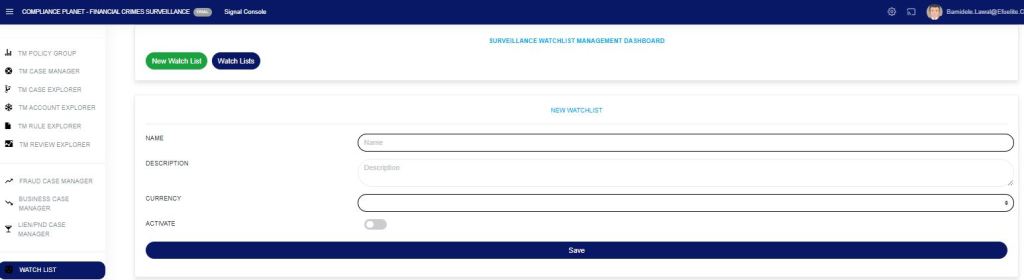
The watch-list is to monitor account(s) that have bridged a particular TM rule.
- Name: This is to give a specific name to the watchlist created.
- Description: a unique description for the created watchlist.
- Currency: the created watchlist is currency-specific, e.g., “NGN, USD, GBP“.
- Activate: toggle the activation button on to enable the watchlist. The watchlist is not active if this button is not toggled on.
- Save: to save the watchlist you created.
NB: The currency must be specified differently for each. If the watchlist is for NGN or USD, the account(s) to be monitored must be NGN or USD only, not mixed, to avoid errors.
For further enquiries:
Tel: +234(0) 816 555 9818
Email: solutions@efuelite.com
Web: http://solutions.efuelite.com
