
The User Action log provides a list of activities or actions that were carried out successfully and completed on the Compliance Planet software in chronological order at any time. Here is how to view a user log for any period.
STEP 1: From the dashboard, click “Control Panel” as in Fig.28.4a below.
Fig.28.4a
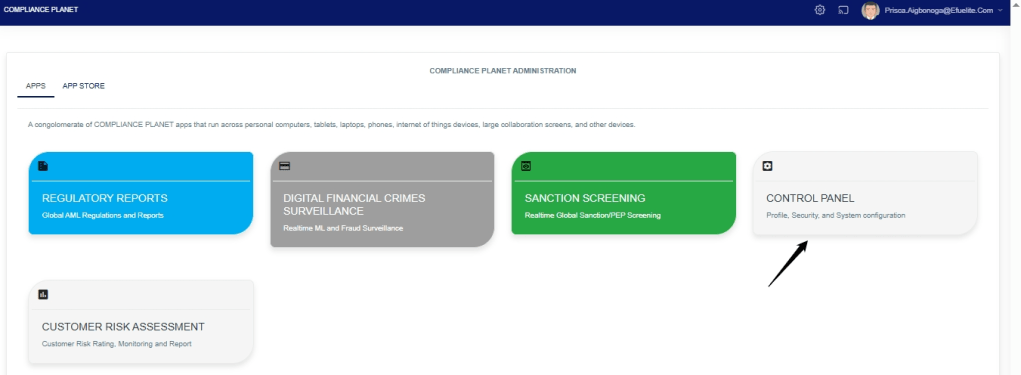
This will display a “Log Management Operations dashboard as in Fig.28.4b below
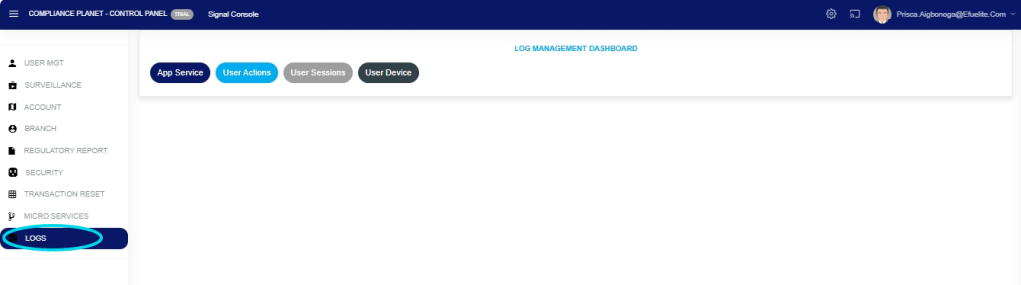
STEP 2: This will display a page, then click “Logs” as in Fig. 28 .4b below
Fig. 28 .4b
STEP 3: From the top menu, click “User Action” as in Fig.28.4c below.
Fig.28.4c

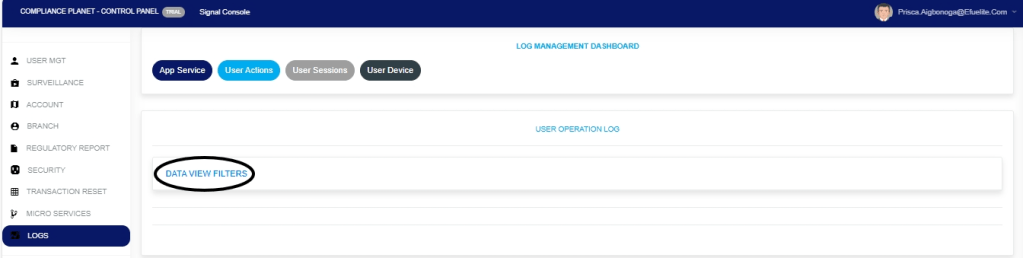
STEP 4: This displays the Service User Action log page. Click “Dataview filter” as shown in Fig.28.4d below.
Fig.28.4d
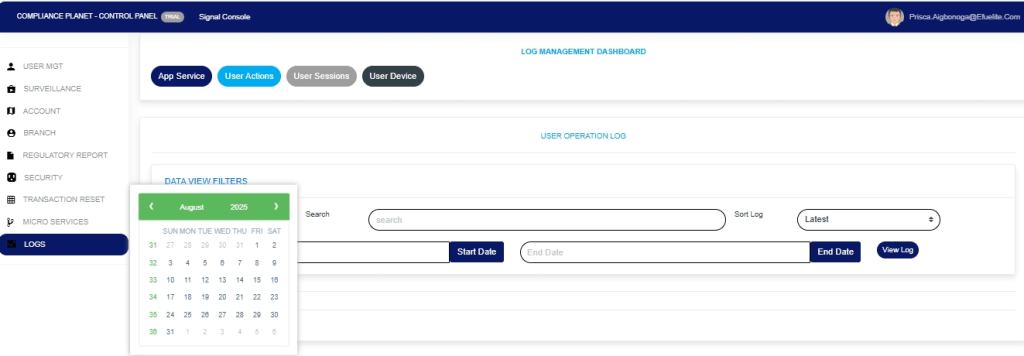
STEP 5: Click on the ‘Start Date’ button to specify the start date. This will display a calendar below the date. See Fig.28.4e for an example.
Fig.28.4e
STEP 6: Click on the ‘End Date’ button to specify the end date. This displays a calendar below the date box. See Fig.28.4f for an example.
Fig.28.4f
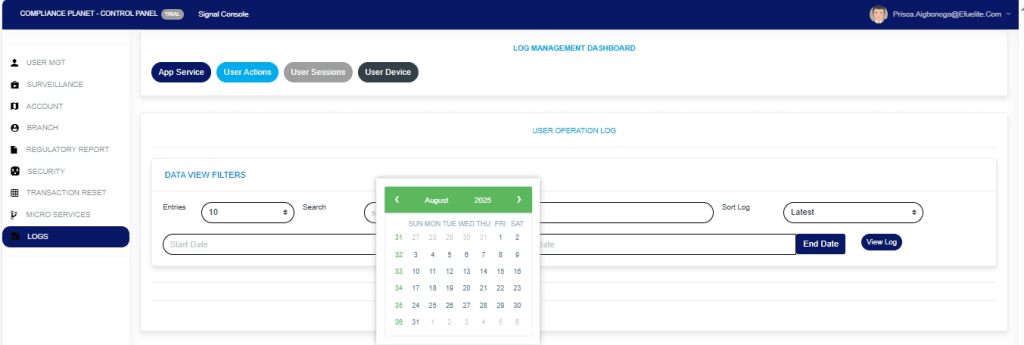
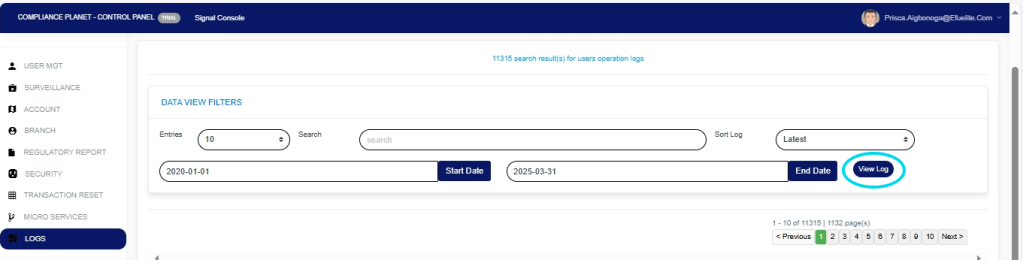
STEP 7: Click on ‘View Log’ as in Fig.28.4g to view the services.
Fig.28.4g
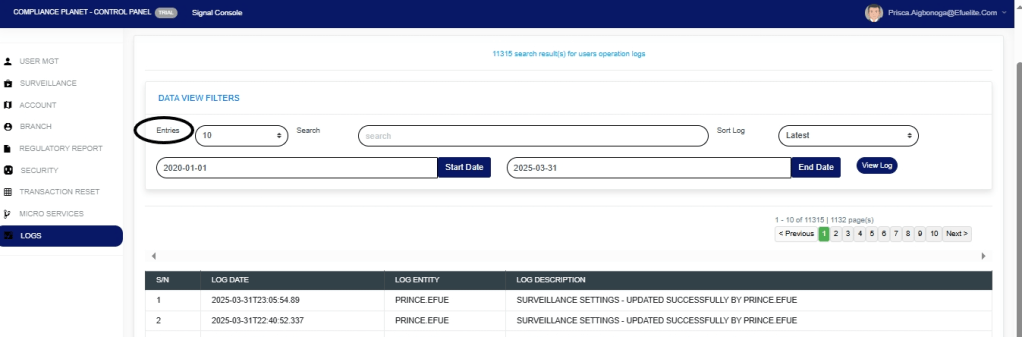
STEP 8:This displays a list of activities that were carried out within the specified date range. See Fig.28.4h for an example.
Fig.28.4h

STEP 9:Click on the ‘entries’ box to change the number of entries you want to see per page. See Fig.28.4i
Fig.28.4i
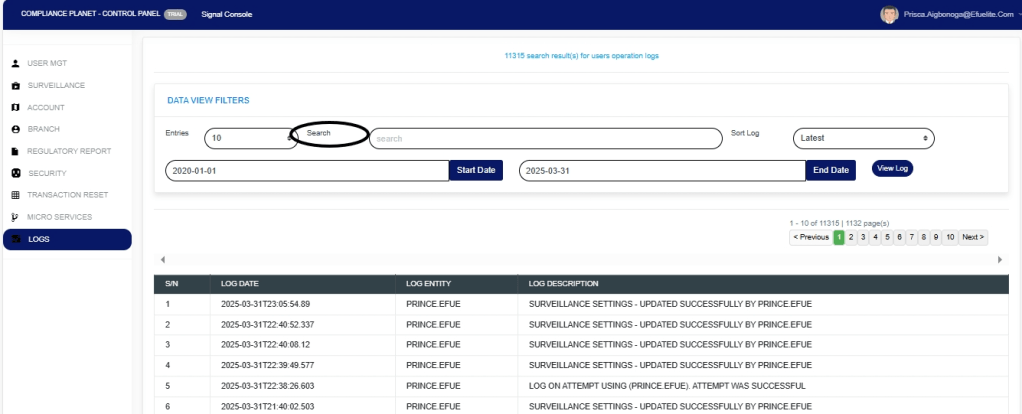
STEP 10:Search for an activity by inputting a search term in the ‘Search’ box. See Fig.28.4j for an example of a search.
Fig.28.4j
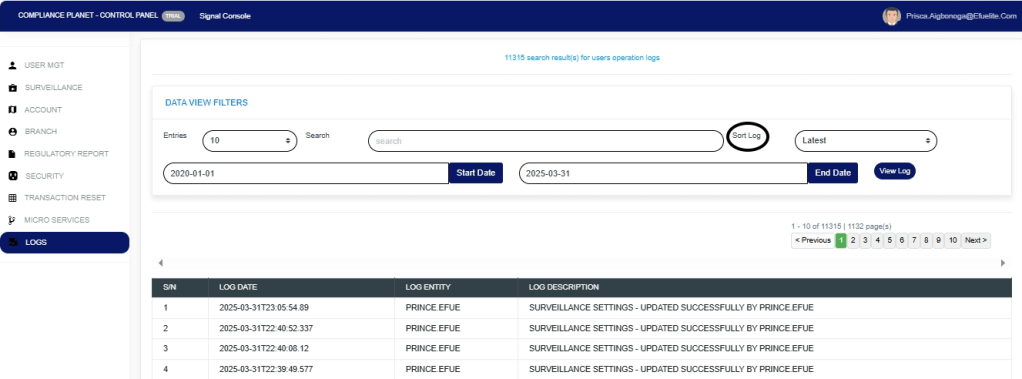
STEP 11:You can sort the records from the latest to the earliest or vice-versa by clicking on the ‘Sort Log’ box and selecting your preferred order as in Fig.28.4k below.
Fig.28.4k
STEP 12:At the bottom-right corner of the page, the software provides information about the number of pages, with the page numbers written out. Clicking on a page number to go to that page. Click on ‘NEXT’ to go to the next page and click on ‘PREVIOUS’ to go to the page before the current page. See these features in Fig.28.4l below.
Fig.28.4l

For further enquiries :
Tel +234(0) 816 555 9818
Email solutions@efuelite.com
Web https://solutions.efuelite.com
