
This provides a downloaded report on customers with incomplete data (as defined by the NFIU) who have carried out reportable transactions.
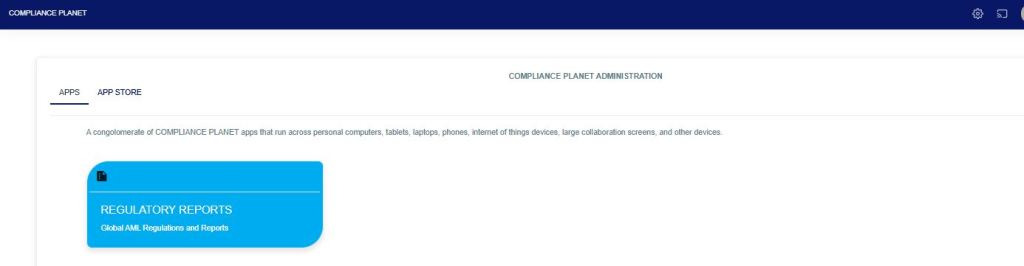
From the app dashboard, click on “REGULATORY REPORTS” as shown below
Click on ‘NFIU CTR/FTR’ on the drop-down list. See an example in Fig below. This will display the NFIU CTR/FTR page.
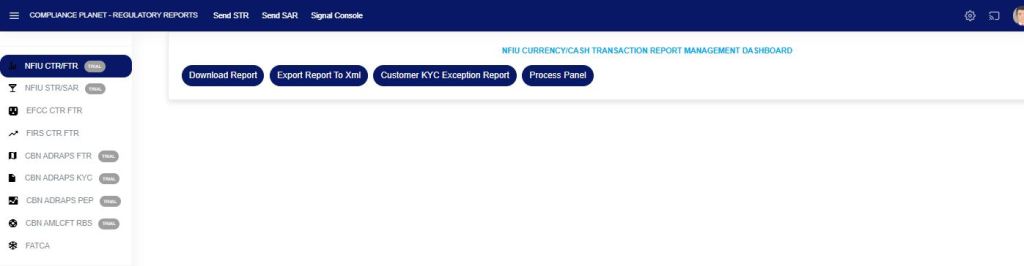
STEP 1: Click on “CUSTOMER KYC EXCEPTION REPORT,” which then displays a page as seen in Fig. 3a below.
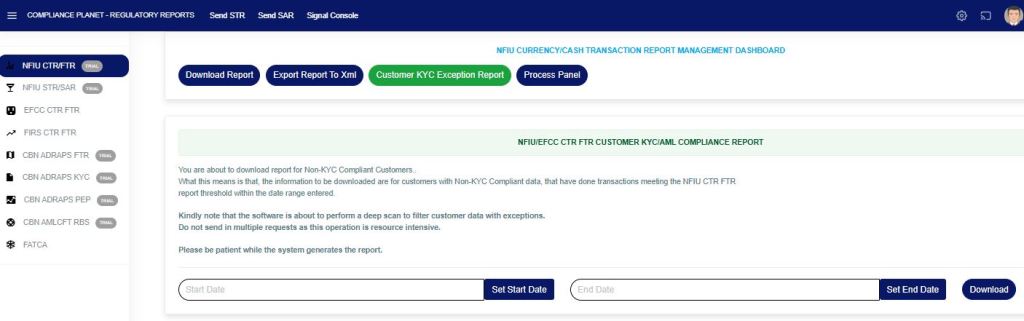
Fig 3a
STEP 3: Enter the start and end dates for the report you want to download, as shown in Fig. 3b and Fig. 3c below.
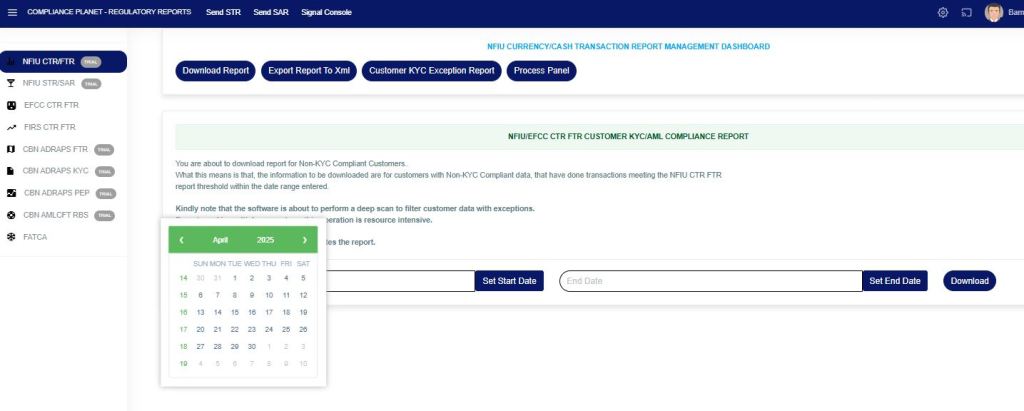
Fig 3b
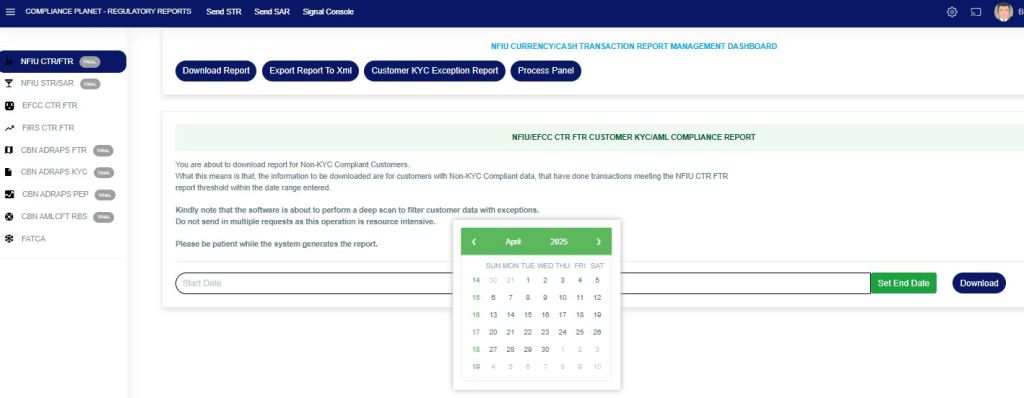
Fig 3c
STEP 3: Click the “Download” button, then click “Confirm” to download the report, as shown in Fig. 3d below.
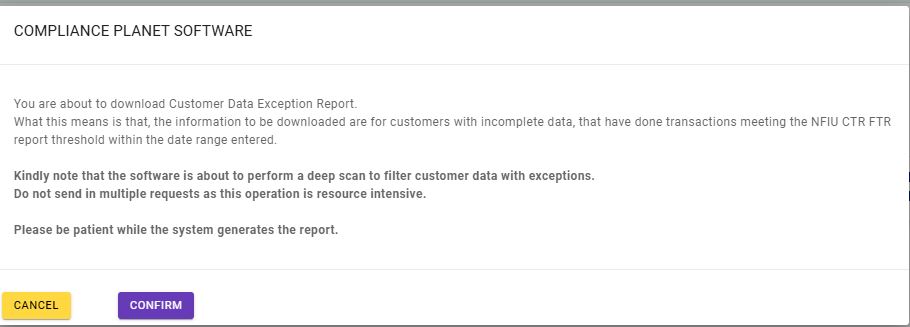
Fig 3d
This will be downloaded as an Excel file containing the customers’ available data and KYC exceptions.
For further enquiries:
Tel: +234(0) 816 555 9818
Email: solutions@efuelite.com
Web: http://solutions.efuelite.com
