
The risk rating panel helps to set the Global risk rating on the software.
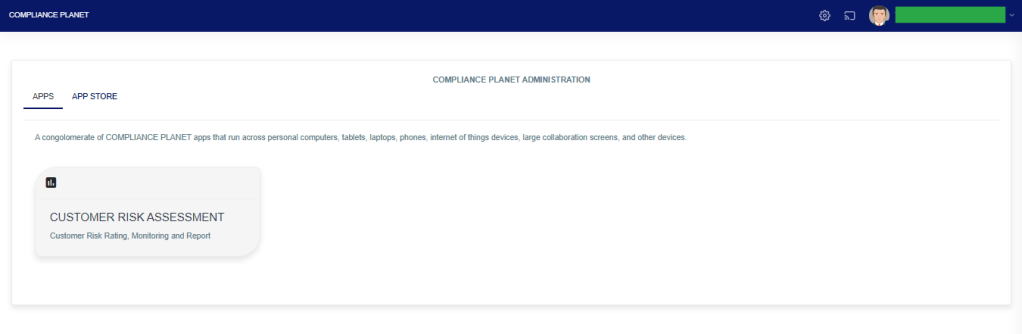
STEP 1: From the app dashboard, click “CUSTOMER RISK ASSESSMENT” as in the image below.
The above action will display a page as seen in the image below.
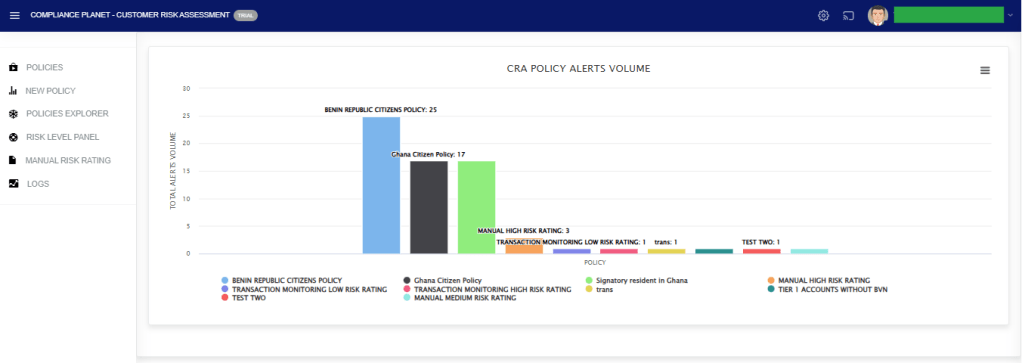
STEP 2: Click on “RISK LEVEL PANEL” as in the image below.
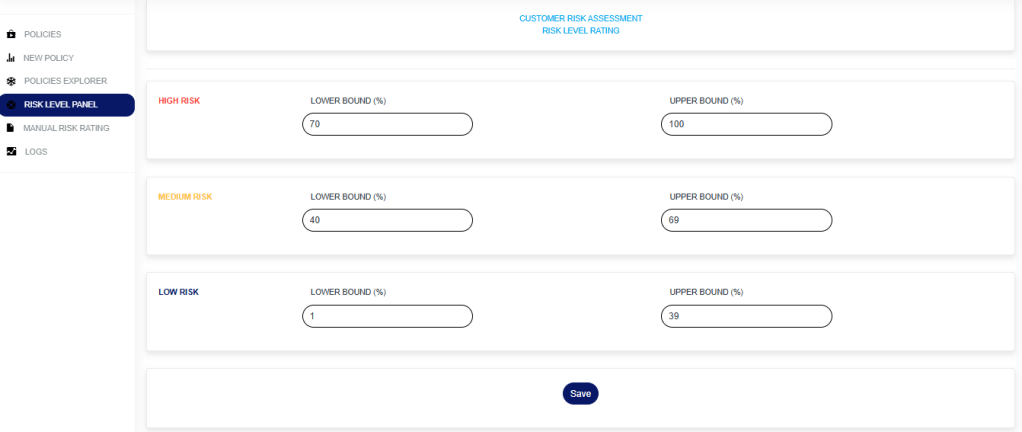
Enter the risk rating for the various risk rating level. This includes the lower bound and Upper bound for the various risk rating levels.
- The lower bound for the low risk level must be 1.
- The upper bound for the high risk level must be 100.
- Every other bound across the different risk rating levels must be consecutive. i.e If the upper bound for the low risk level is 39, then the lower bound for the medium risk level must be 40. If the upper bound for the medium risk level is 69, then the lower bound for the high risk level must be 70.
Click on the “Save” button to save the risk rating.
For further enquiries:
Tel: +234(0) 816 555 9818
Email: solutions@efuelite.com
Web: http://solutions.efuelite.com
