
This section provides a guide on how to activate transaction/fraud monitoring notification per alert on the Compliance Planet AML Software, with step-by-step instructions and pictures.
NOTE: Only person(s) profiled as deputy supreme admin can carry out these operations
To perform this operation;
STEP 1: From the left-hand side menu, click ‘Control panel’ as in the figure. 20a.

fig. 20a
STEP 2: From the dropdown, click ‘STR SAR’ as in the figure. 20b
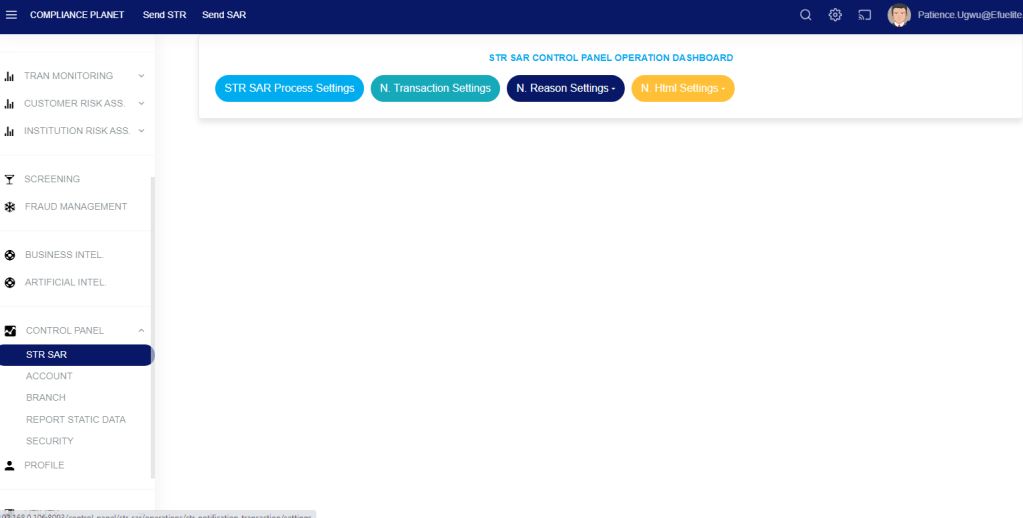
fig. 20b.
STEP 3: From the displayed page, click on ‘STR SAR Process Settings’ as in fig. 20c.

fig. 20c.
STEP 4: check the icon ‘Activate (Transaction/Fraud Monitoring) Notification Per Alert’ and click save changes as in fig. 20d.
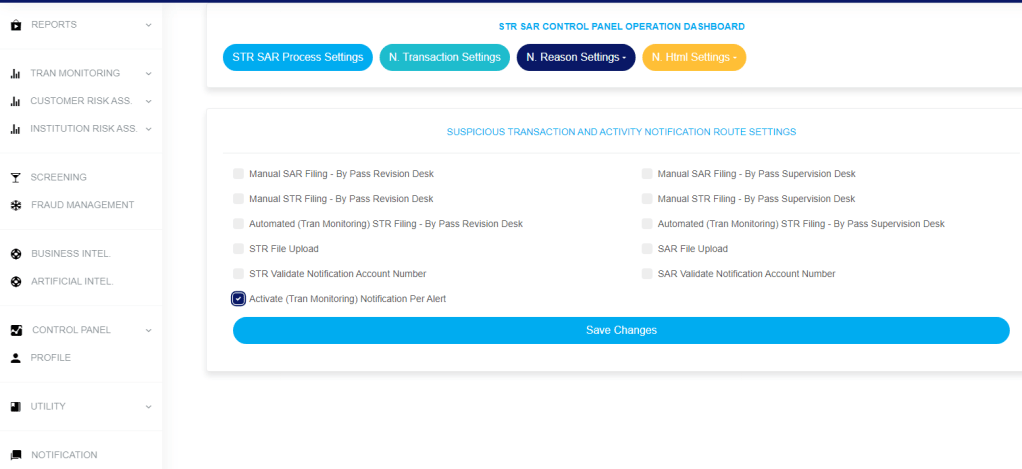
fig. 20d.
STEP 5: Click on confirm to save changes as in fig. 20e.
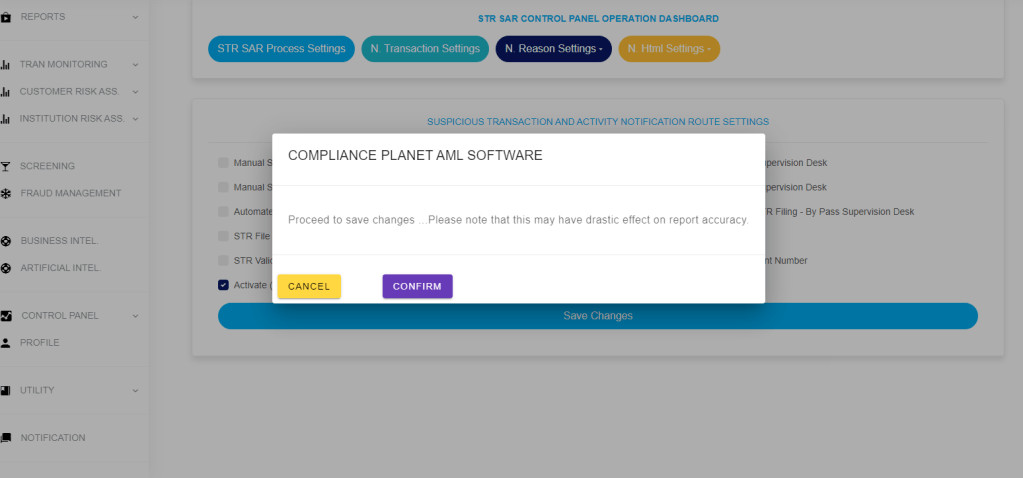
fig. 20e.
For further enquiries :
Tel +234(0) 816 555 9818
Email solutions@efuelite.com
Web https://solutions.efuelite.com
